Home › Sectors › Training centres
For academies and training centres
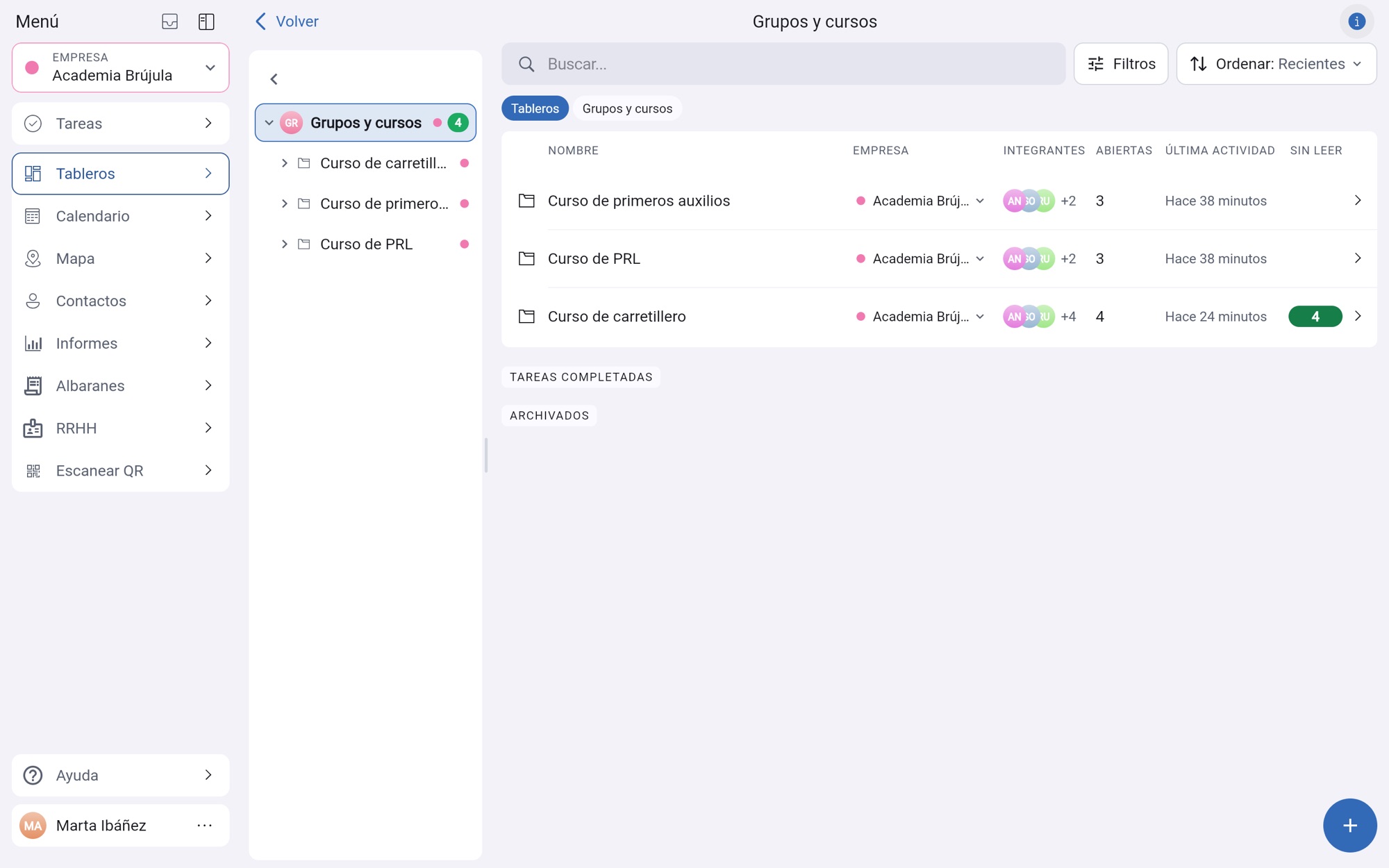
Each group with its folder, ready to back up.
Syllabus, attendance sheets, photos of the practical sessions and each group’s certificates, in its folder. The client company sees it in its inbox.
If this sounds familiar, you’re not the only one.
Teaching well is the job. Proving it is the paperwork nobody wants to do.
What you notice most
The paperwork, done while you teach the course.
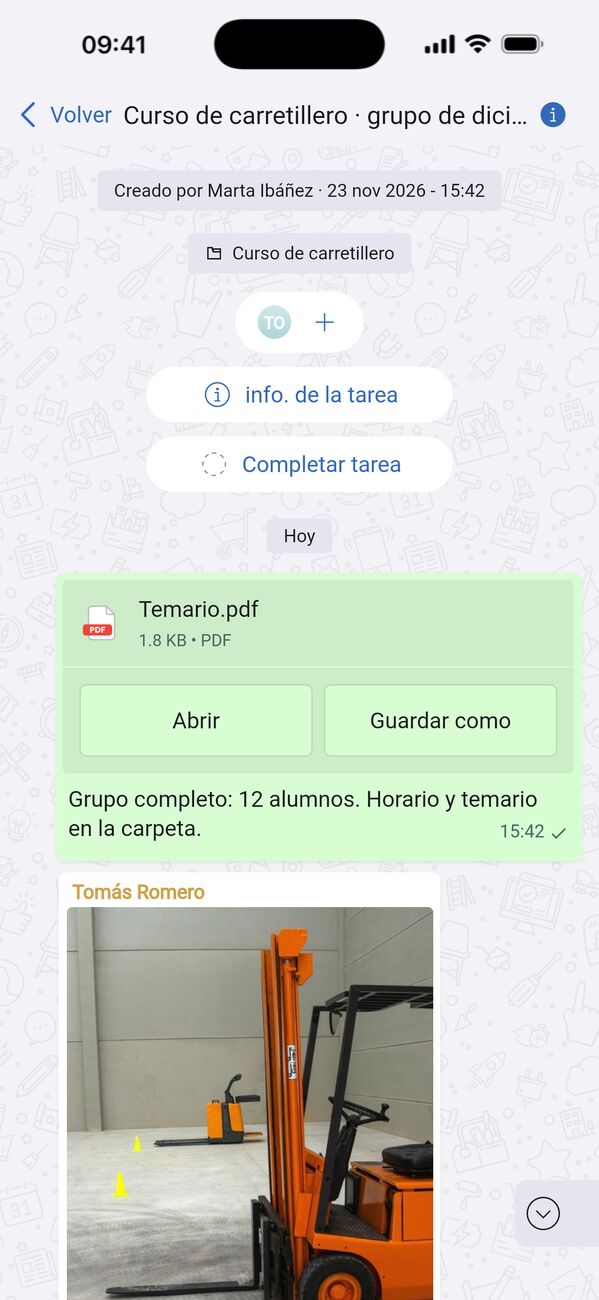
Every day, a photo of the attendance sheet and the practical sessions in the group’s chat. When it ends, syllabus, attendance and certificates are together in the folder.
- Signed attendance with a photo
- Syllabus and materials as PDFs
- The client company as a guest
How it helps
From enrolment to certificate, in one folder.
Syllabus and materials
In each group’s folder, the latest version.
Attendance and practicals
A photo of the signed sheet and of every practical session.
Client company as a guest
They see how their staff are getting on and ask for what they need.
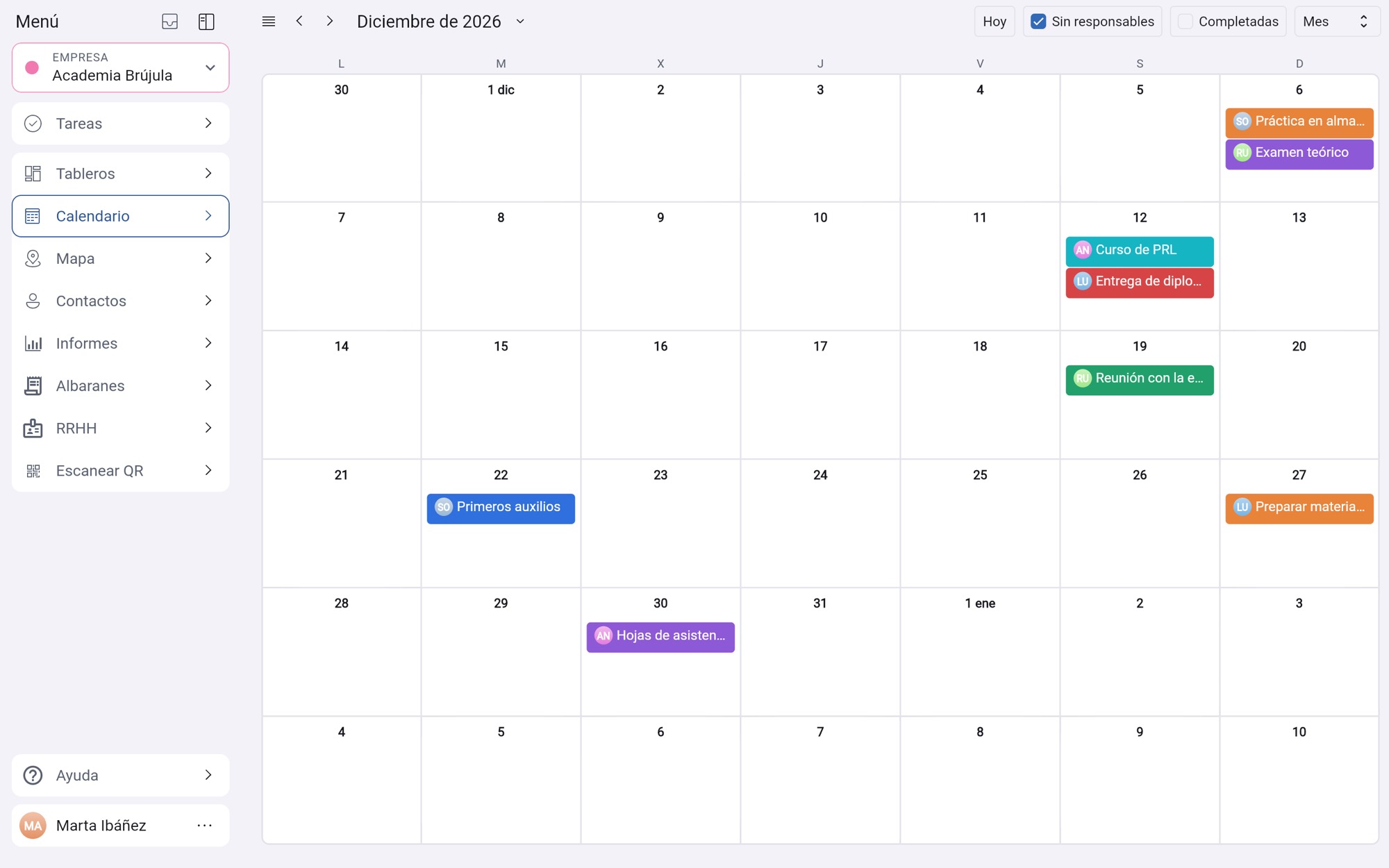
Timetables on the calendar
Which group, which room and which trainer each day.
Trainers up to date
Each trainer sees their groups and classes on the phone.
Certificates
The certificates as PDFs, in the client company’s chat.
- Coordinator · coordinatorGroup full: 12 trainees. Timetable and syllabus in the folder. Syllabus.pdf
- Trainer · trainerFirst practical done. Attendance sheet signed by all 12.

- Client company · company HRCould you send us the certificates when they finish?
- Coordinator · coordinatorOf course. You’ll have them here on Friday.
Calendar and map
What’s on today and where.
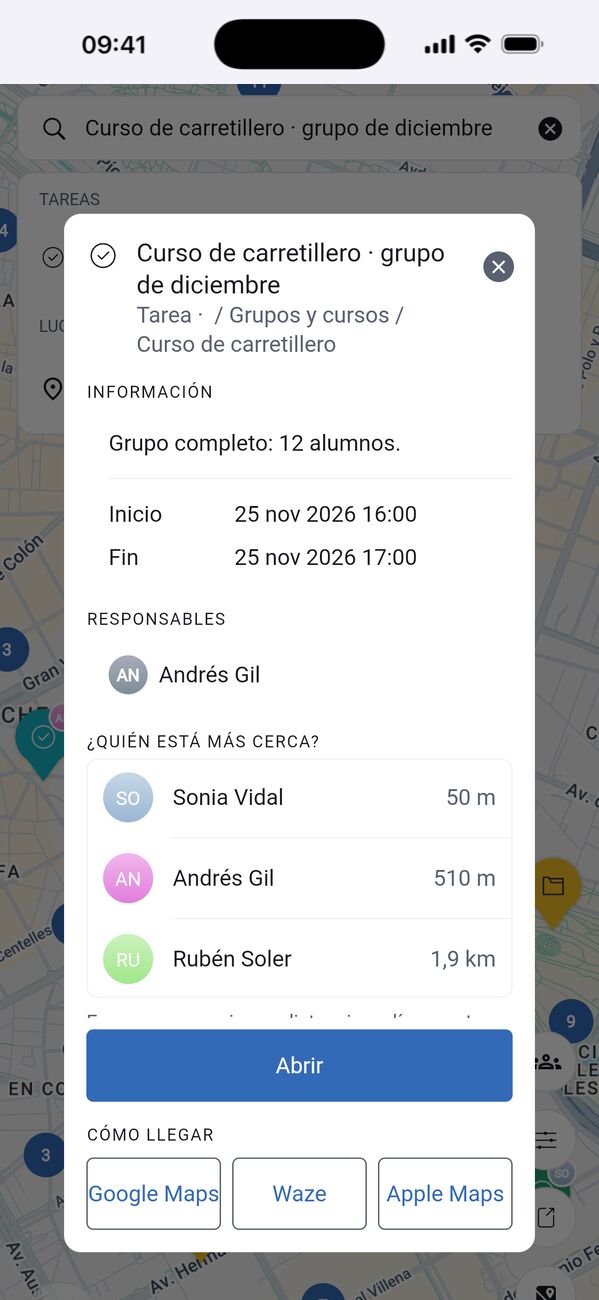
Each group’s classes show up on the team calendar, each in its trainer’s colour. And if you train at companies’ premises, the map tells you where each one is.
Do you use Odoo or another program?
It connects with what you already use.
With Odoo, people, clients, absences, time records and delivery notes sync on their own, both ways. If you don’t use Odoo, import your contacts from a file and you’re done. See connections
Questions from training centres
Can the client company see progress?
Yes, if you invite them to their inbox. They only see their own group.
Do my clients and suppliers pay?
No. They join free as guests through their inbox and only see what’s theirs.
Can I keep each group’s documents?
Yes. Each group has its own folder, with subfolders if you need them.
Where is the data stored?
In Europe, encrypted and backed up every day. The data belongs to your company.
Your company doesn’t fit in a WhatsApp group.
Start today with your team. Up to 4 people it’s free, with no time limit, and you don’t have to give any payment details.
Download it onApp StoreGoogle Play