For maintenance companies
The app for maintenance companies, without losing a single call-out.
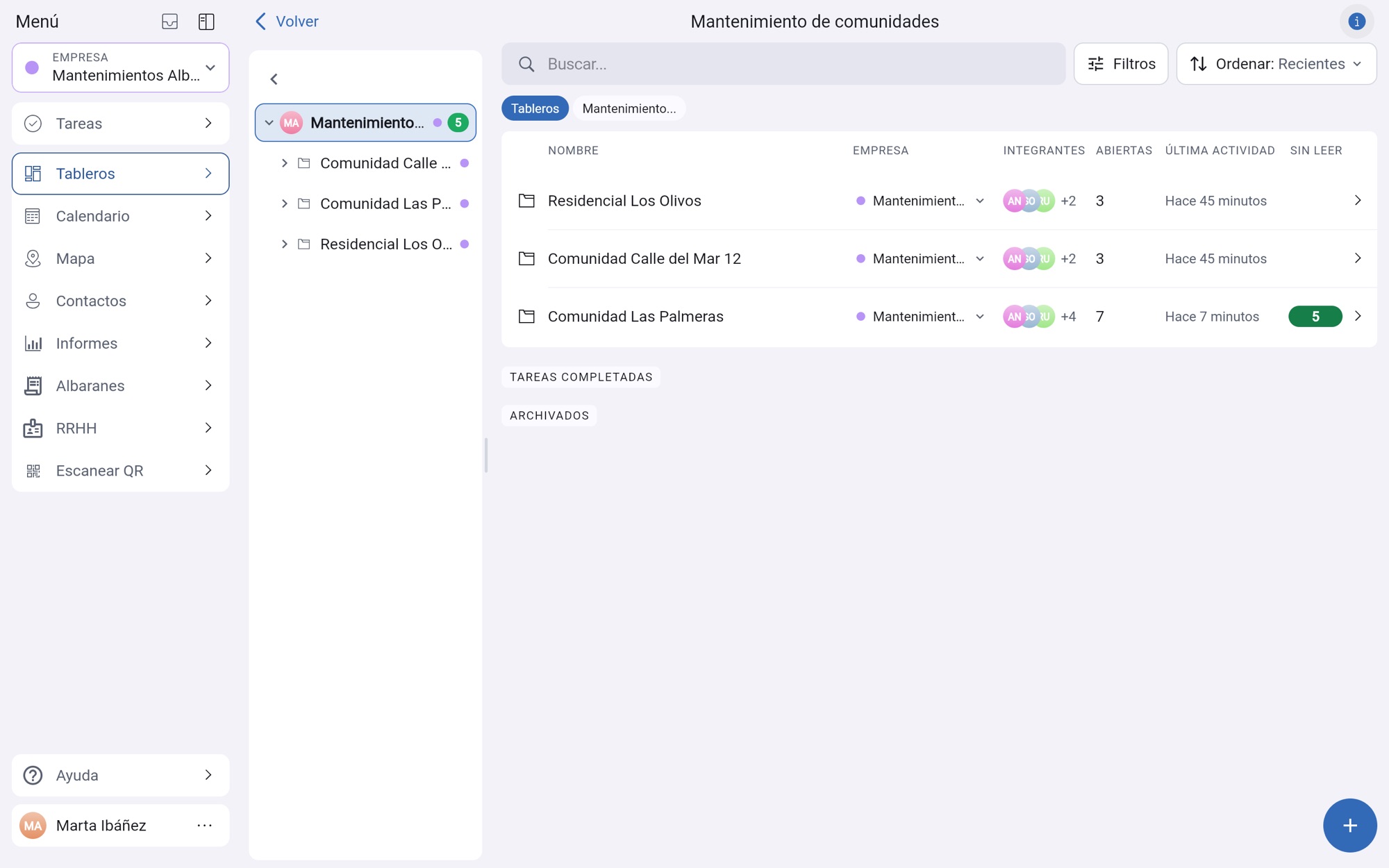
Each client’s call-outs, inspections and repairs, each with its own chat, photos and signed delivery note. Technicians use it like WhatsApp and the office has everything where it belongs.
If this sounds familiar, you’re not the only one.
Most maintenance companies work like this. And it works… until a client asks what was done three months ago.
What you notice most
The client’s whole history, in their folder.
When a client asks what was done three months ago, you open their folder: call-outs, before and after photos, and signed delivery notes, by date.
- History for each client
- Dated photos
- Signed delivery notes as PDFs
How it helps
From call-out to signature, all in one place.
Every call-out, with its chat
The client reports it and it lands in their folder. The office assigns it and the technician sees it on their phone, with the address and everything already said.
Inspections nobody forgets
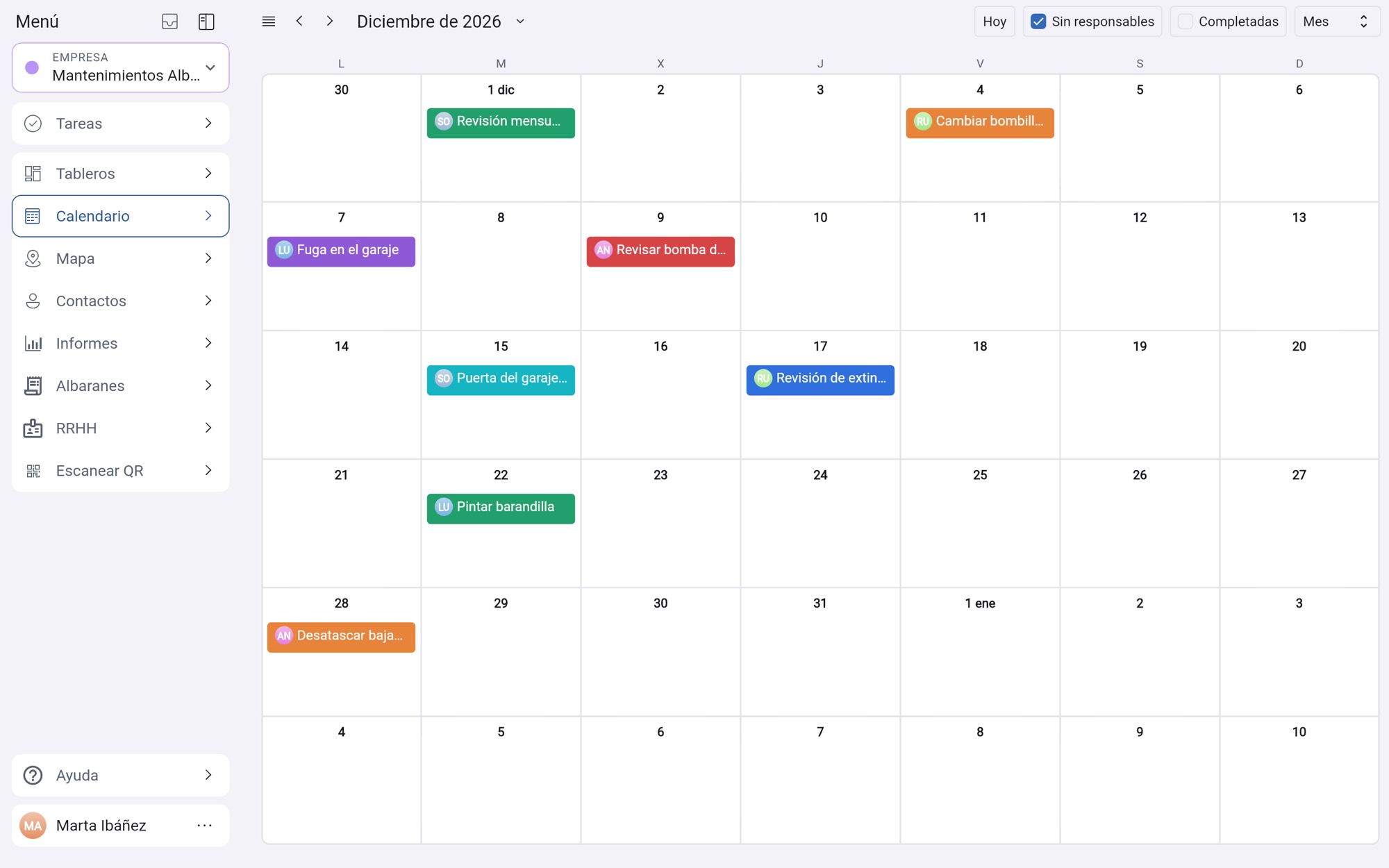
Each client’s regular inspections go on the team calendar. Everyone sees what’s on today and this week.
Before and after photos
The technician takes the photo and picks the job. It stays in the client’s folder, not in their camera roll.
Delivery note signed on the spot
Materials, hours and the client’s signature on the phone. It reaches the office at once and, if you use Odoo, the materials come off your stock.
Call-outs on the map
Every call-out where it is, the day’s route in order and directions. If your company turns it on, also who’s nearest.
Clocking in by phone
The team clocks in and out from their phones and the office sees it in HR, with no sign-in sheets.
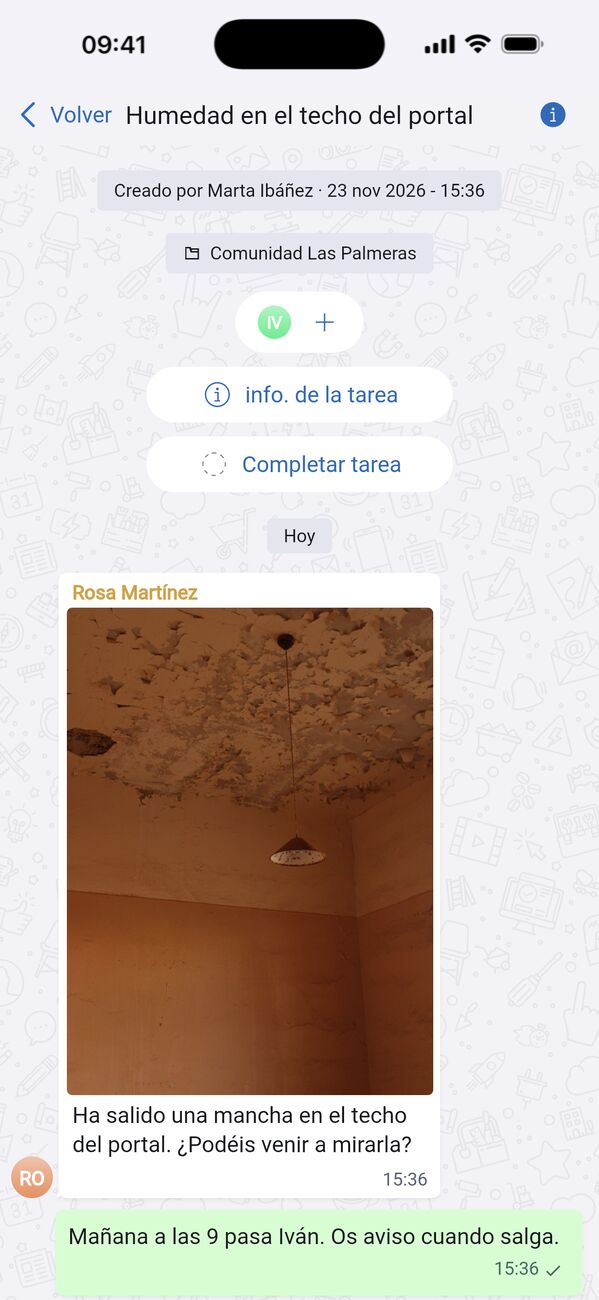
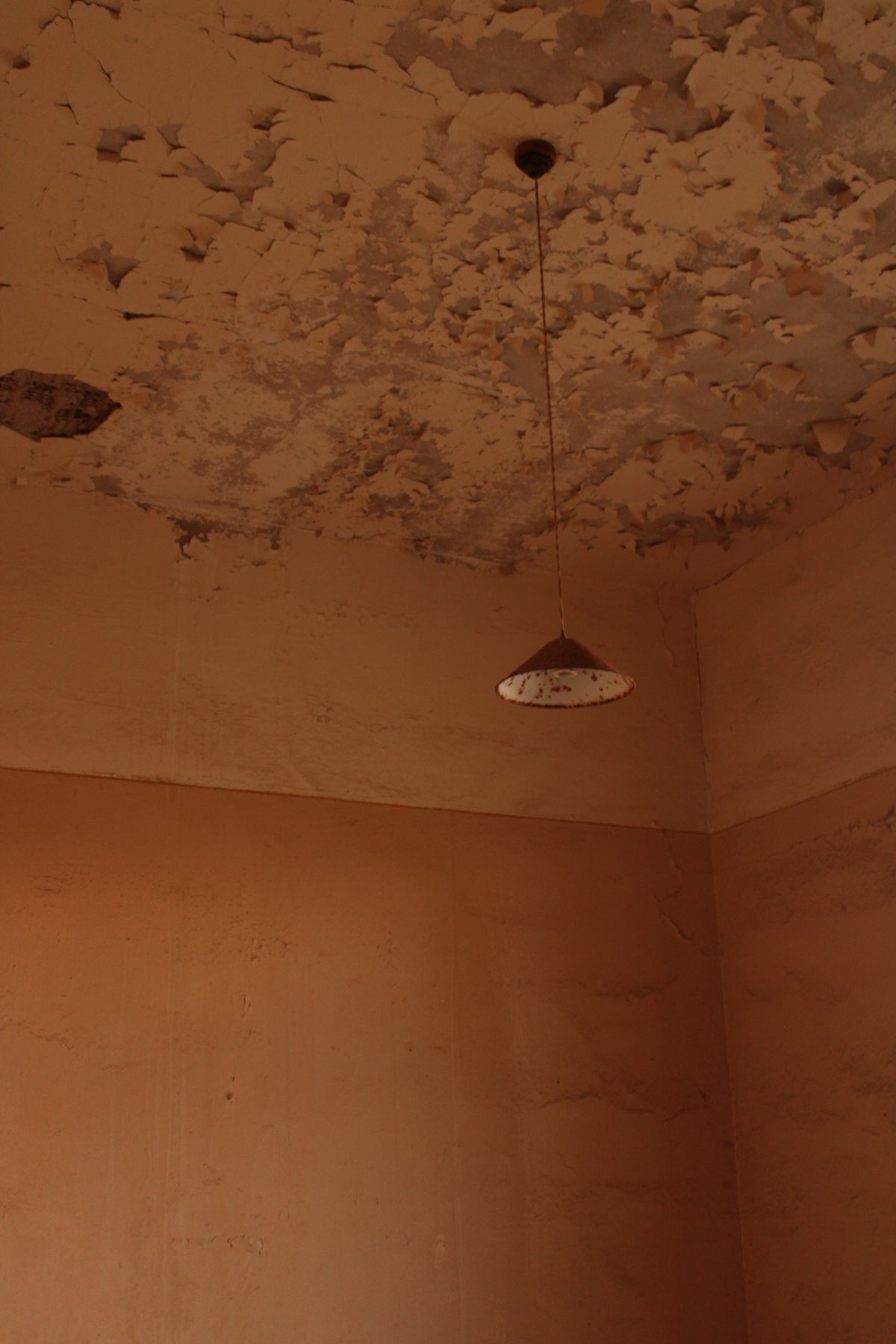
- Rose · property managerA damp patch has appeared on the entrance hall ceiling. Could you come and take a look?
- Megan · officeIan will be there tomorrow at 9. I’ll let you know when he sets off.
- Ian · technicianIt was the 2nd-floor drainpipe. Seal replaced and leak fixed.

- Ian · technicianDelivery note signed by the residents’ chair.
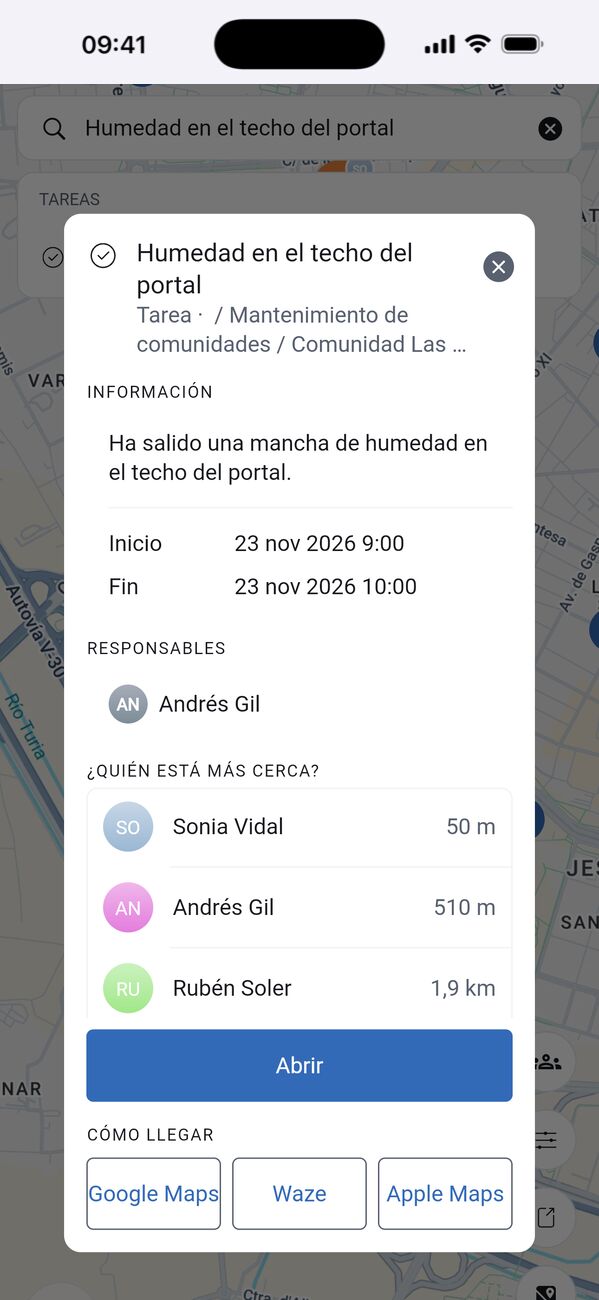
Calendar and map
What’s on today and where.
Inspections and call-outs with a date show up on the team calendar, each in its technician’s colour. And on the map you see where each call-out is: who’s nearest and how to get there with Google Maps, Waze or Apple Maps.
Do you use Odoo or another program?
It connects with what you already use.
With Odoo, the signed delivery note takes the materials out of stock and the hours go to the right person. If you don’t use Odoo, import your clients from a file and you’re done. See connections
Questions from maintenance companies
Do my technicians have to learn something new?
Not much. For them it’s like a chat: they open the job, write, send photos and ask for the signature. The office is the one that organises clients and folders.
Can the client or the property manager write in it?
Yes, if you invite them to the job or to an inbox. They only see what’s theirs, never your other clients or your internal conversations.
Does it work for regular inspections and maintenance contracts?
Yes. Each client has a folder with their inspections on the calendar, their photos and their delivery notes, so the whole history is at hand.
What if we already use Odoo?
There’s a free module on the Odoo App Store. Staff, absences, time records, clients and delivery notes sync both ways.
Your company doesn’t fit in a WhatsApp group.
Start today with your team. Up to 4 people it’s free, with no time limit, and you don’t have to give any payment details.
Download it onApp StoreGoogle Play