For cleaning companies
Lots of clients, lots of shifts, and everything under control.
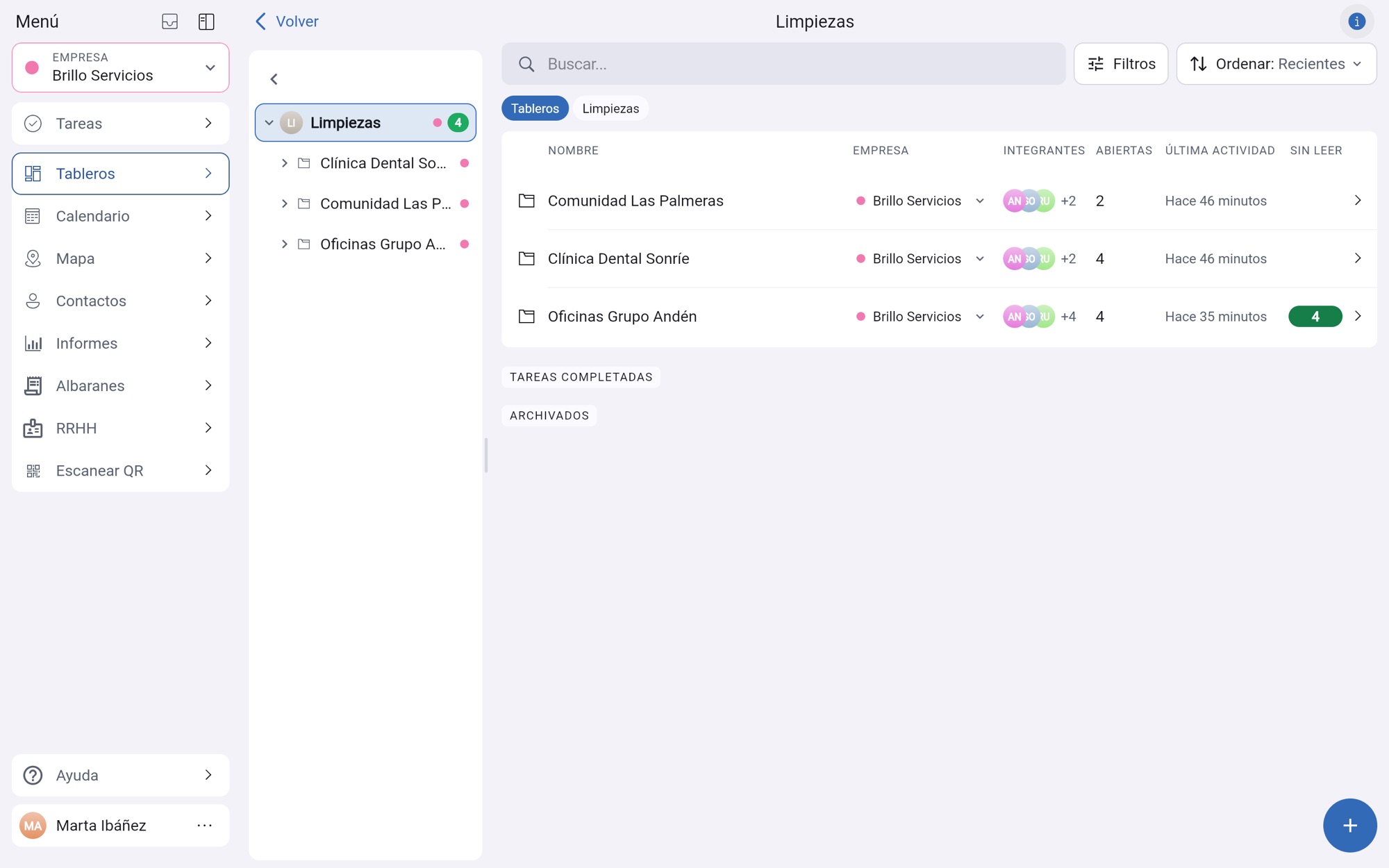
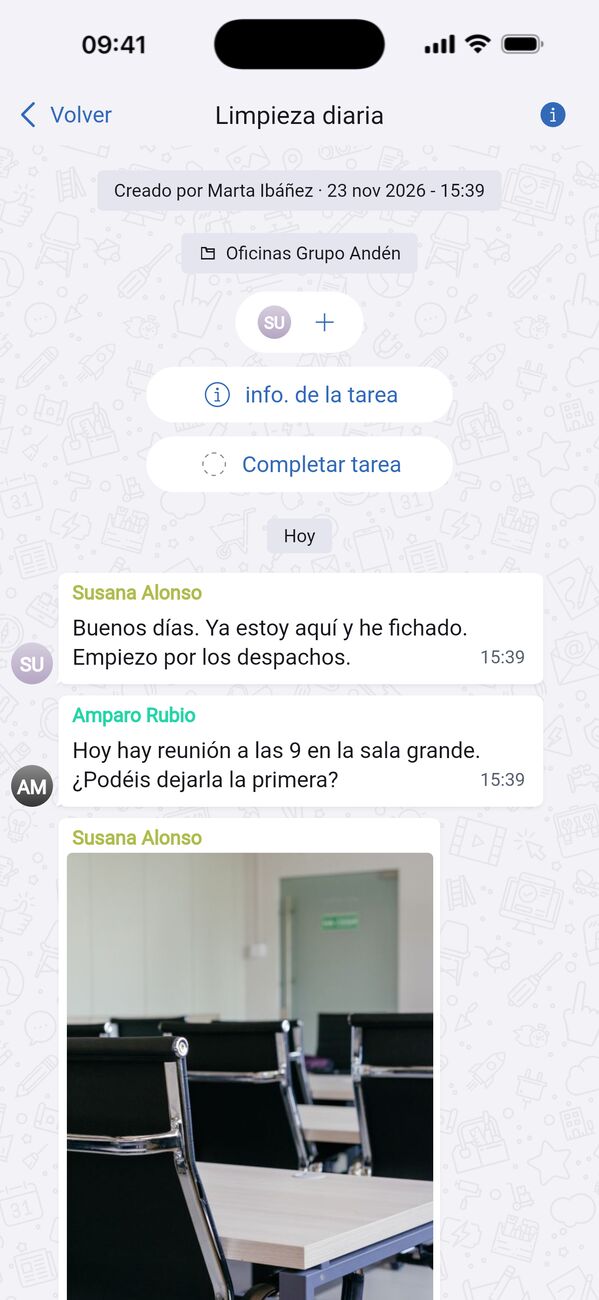
Each client has their own chat, where the team flags what’s missing and the client asks for what they need. Clocking in from the phone. The office sees it all without calling.
If this sounds familiar, you’re not the only one.
With lots of locations and lots of people, the hard part isn’t cleaning: it’s hearing about everything in time.
What you notice most
Who came in today, without sign-in sheets.
Everyone clocks in from their phone when they arrive. The office sees it in HR and, if someone forgets to clock out, the working day can end by itself.
- Clocking in by phone
- Ends automatically if your company turns it on
- Absences on the calendar
How it helps
From shift to issue, everything in its place.
Clocking in by phone
Everyone clocks in and out from their phone. The office sees it in HR, with no sign-in sheets.
An inbox for each client
The client asks for “the big meeting room ready before 9” in their inbox, and the right people see it.
Issues with a photo
A stain, something broken, no paper towels. A photo in the chat and the office knows at once.
Calendar and absences
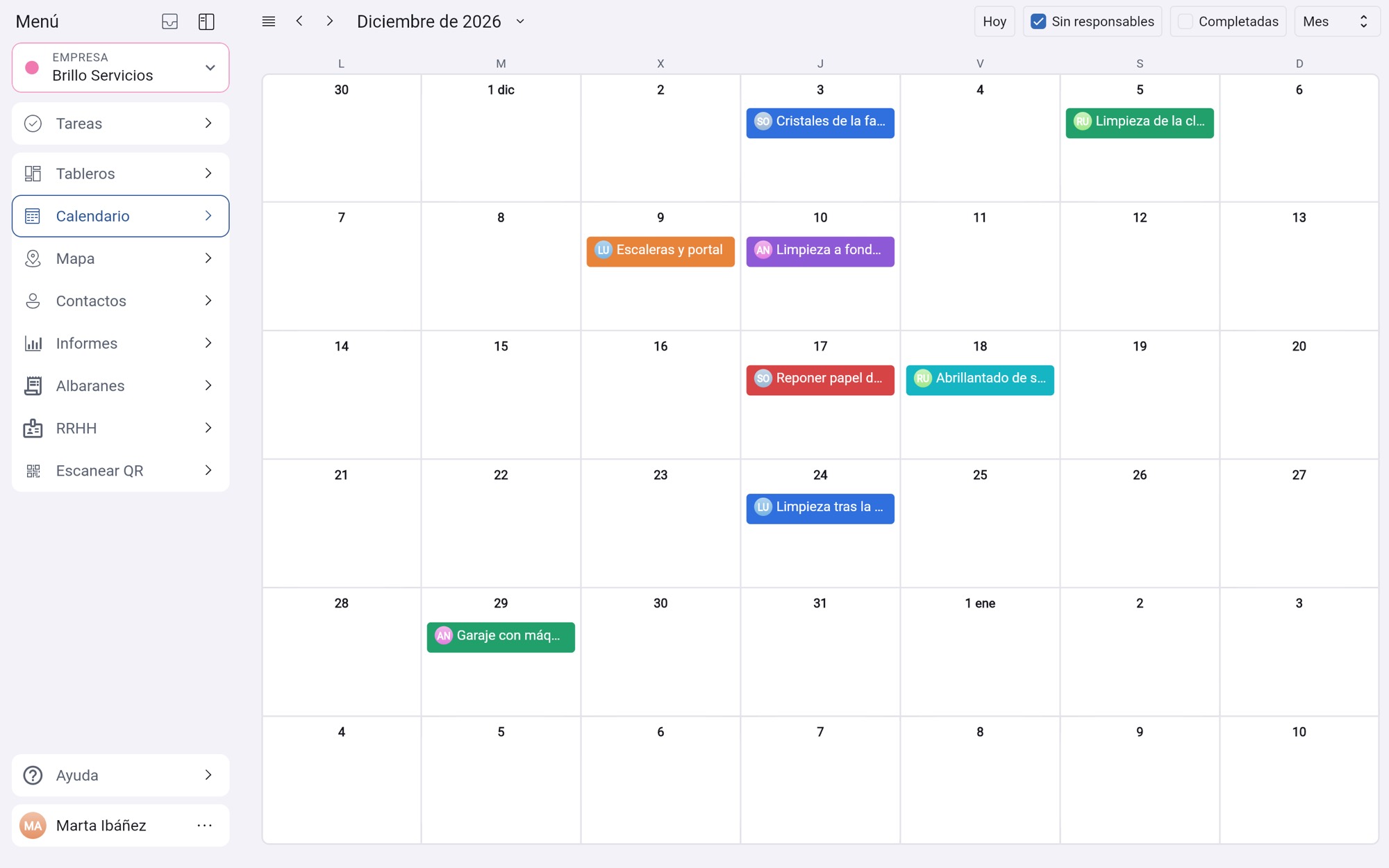
Services on the calendar and the team’s absences in plain view, so gaps get covered in time.
Today’s route
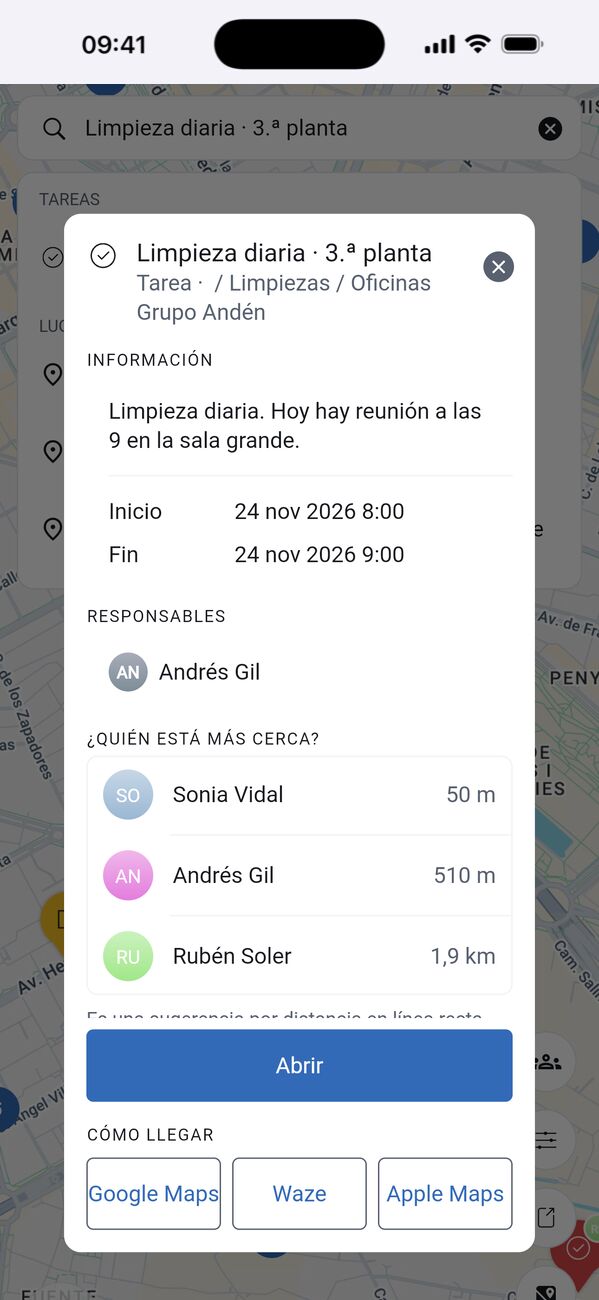
For whoever goes from one location to the next: today’s stops on the map and directions.
Easy for everyone
If they can use WhatsApp, they can use TaskTeam. And everyone uses it in their own language: English, Spanish, French or German.
- Susan · cleanerMorning. I’m here and I’ve clocked in. Starting on the private offices.
- Client · office managerThere’s a meeting at 9 in the big room today. Could you do that one first?
- Susan · cleanerBig room ready. The toilets on the left are out of paper.

- Office · officeThe paper delivery goes out with tomorrow’s route. Thanks, Susan.
Calendar and map
What’s on today and where.
Services with a date show up on the team calendar, each in its person’s colour. And on the map you see where each location is and how to get there with Google Maps, Waze or Apple Maps.
Do you use Odoo or another program?
It connects with what you already use.
With Odoo, staff, absences and time records sync on their own, both ways. If you don’t use Odoo, import your clients from a file and you’re done. See connections
Questions from cleaning companies
Can the team clock in from their phones?
Yes. Everyone clocks in and out from their phone and the office sees it in HR › Time records.
Can the client ask for things without calling?
Yes, through their inbox. They join free as a guest and only see what’s theirs.
My team speaks several languages. Will it work?
Everyone picks the language of their app: English, Spanish, French or German.
What if someone forgets to clock out?
If your company turns it on, the working day ends by itself and the office sees those days marked so they can be corrected.
Your company doesn’t fit in a WhatsApp group.
Start today with your team. Up to 4 people it’s free, with no time limit, and you don’t have to give any payment details.
Download it onApp StoreGoogle Play