Home › Sectors › Shops and franchises
For shops and franchises
Head office sends it once and sees every shop.
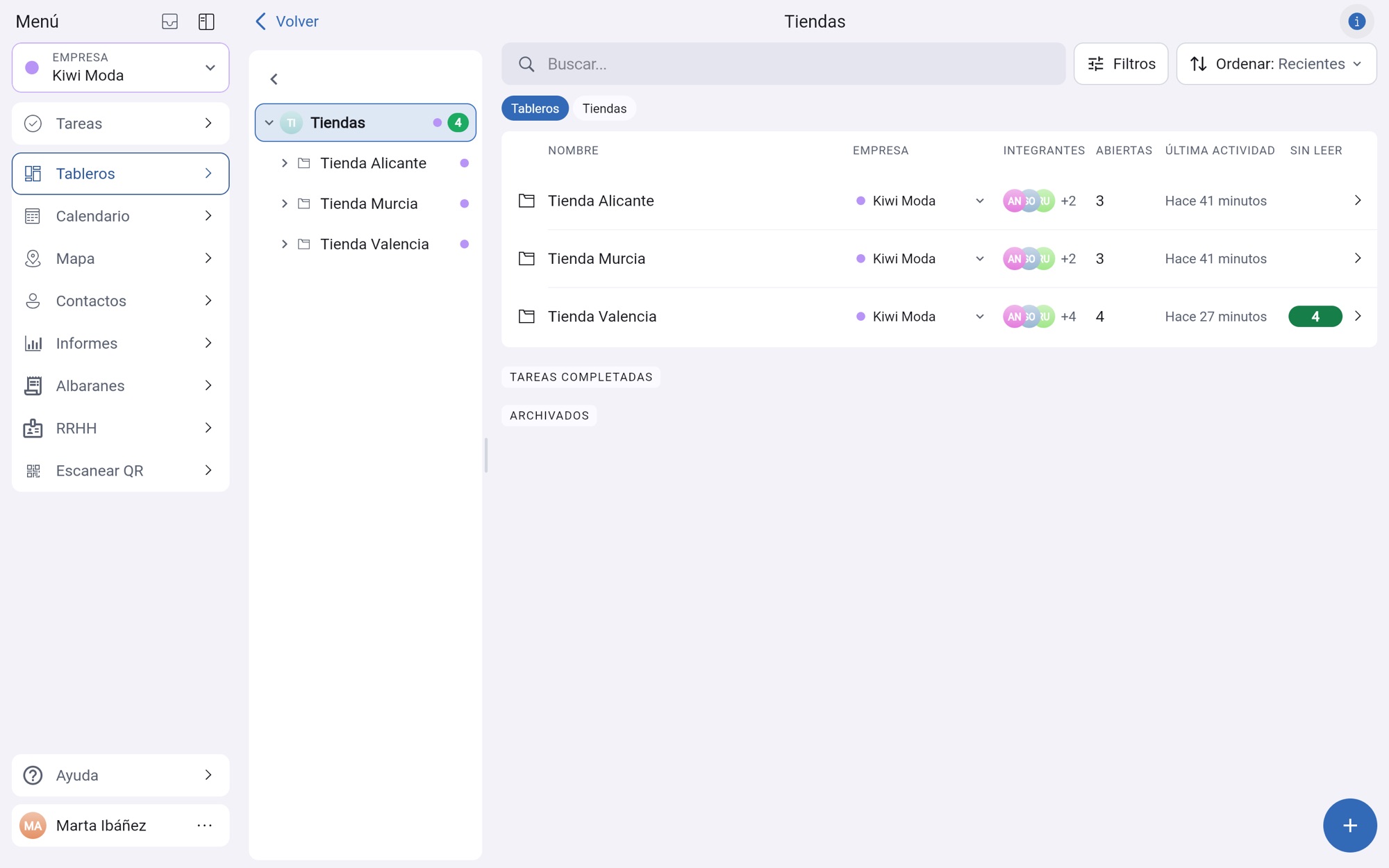
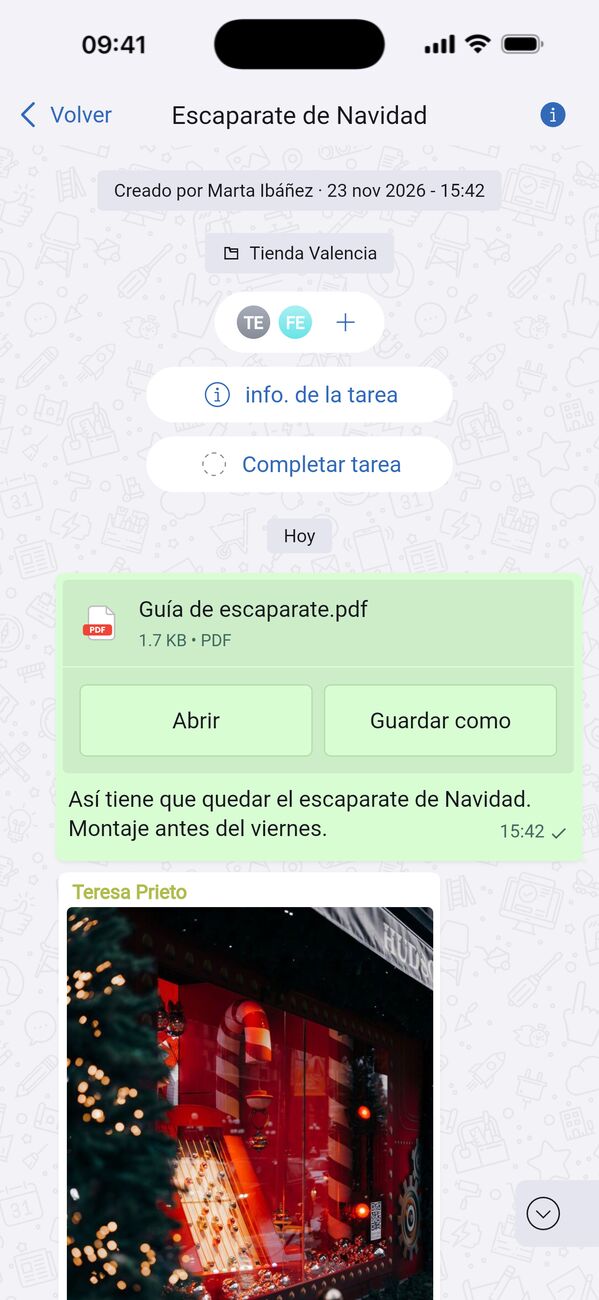
The window display guide, the campaign or the price change goes out just once. Each shop replies with its photo and head office sees who’s done it and what’s missing.
If this sounds familiar, you’re not the only one.
With lots of shops, deciding isn’t the hard part. Getting it done the same way everywhere is.
What you notice most
Shop by shop, with its photo.
Each shop replies in the chat with a photo of how it looks. Head office sees it at a glance and only replies to the ones missing something.
- Campaign guide as a PDF
- A photo from each shop
- Issues sorted in writing
How it helps
From campaign guide to window display, without chasing anyone.
Guides and campaigns
The guide as a PDF, sent once, for every shop.
A photo from each shop
Each shop manager replies with their photo.
Issues
The shutter, the card machine, the air con: reported with a photo.
Staff clock-ins
By phone, in each shop.
Absences and shifts
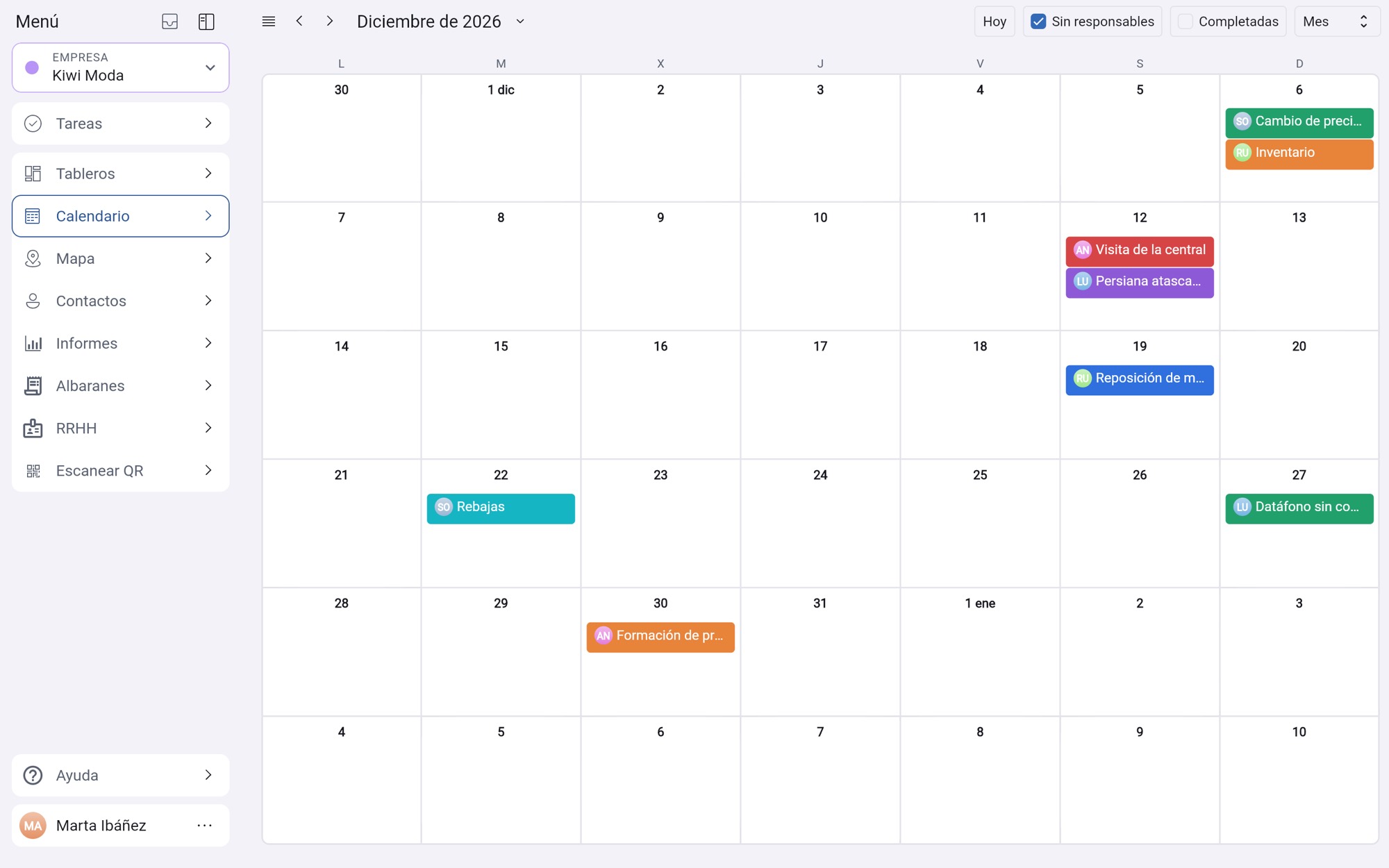
The whole team’s absences on the calendar.
Shops on the map
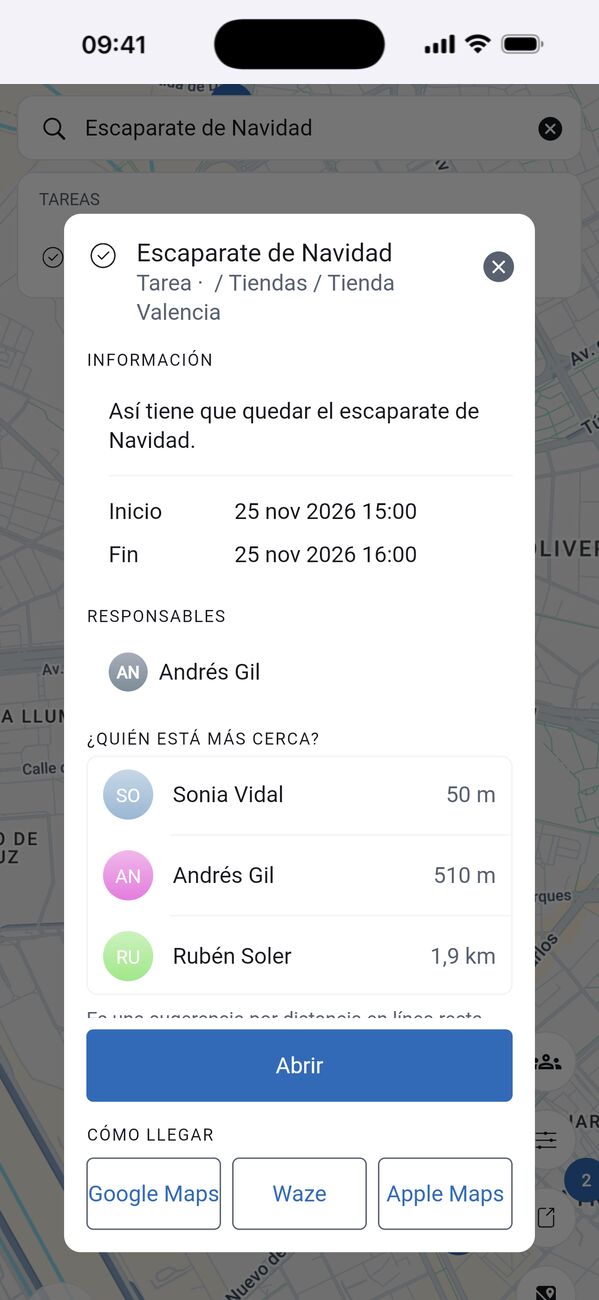
Each shop where it is, with directions.
- Head office · head officeThis is how the Christmas window should look. Set it up before Friday. Window display guide.pdf
- Bristol shop · shop managerDone.

- Leeds shop · shop managerWe’re two mannequins short.
- Head office · head officeThey go out tomorrow with the delivery. Thanks, everyone.
Calendar and map
What’s on today and where.
Campaigns and shop visits show up on the calendar. And on the map you see all your shops and how to get to each one.
Do you use Odoo or another program?
It connects with what you already use.
With Odoo, staff, absences and time records sync on their own, both ways. If you don’t use Odoo, import your contacts from a file and you’re done. See connections
Questions from shops and franchises
Can I send the same thing to every shop?
Yes. In one task with all the shop managers, each replies with their photo.
Does each shop see the others’?
Only what you share with it. Each shop’s tasks can be just theirs.
Can staff clock in?
Yes, from their phones. The office sees it in HR › Time records.
What if we already use Odoo?
There’s a free module on the Odoo App Store that syncs everything, both ways.
Your company doesn’t fit in a WhatsApp group.
Start today with your team. Up to 4 people it’s free, with no time limit, and you don’t have to give any payment details.
Download it onApp StoreGoogle Play