For hospitality with several venues
All your venues, without going from one to the next.
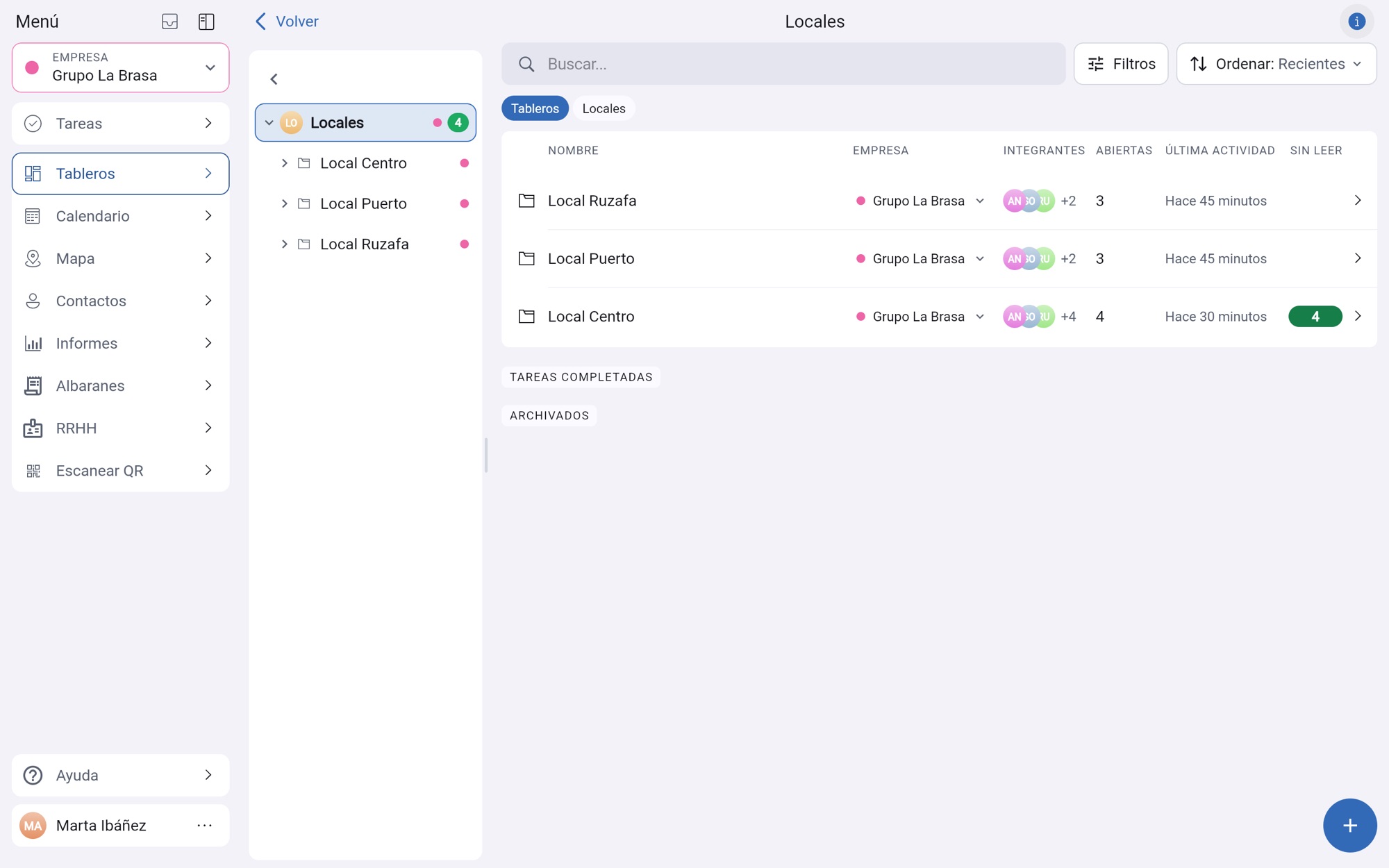
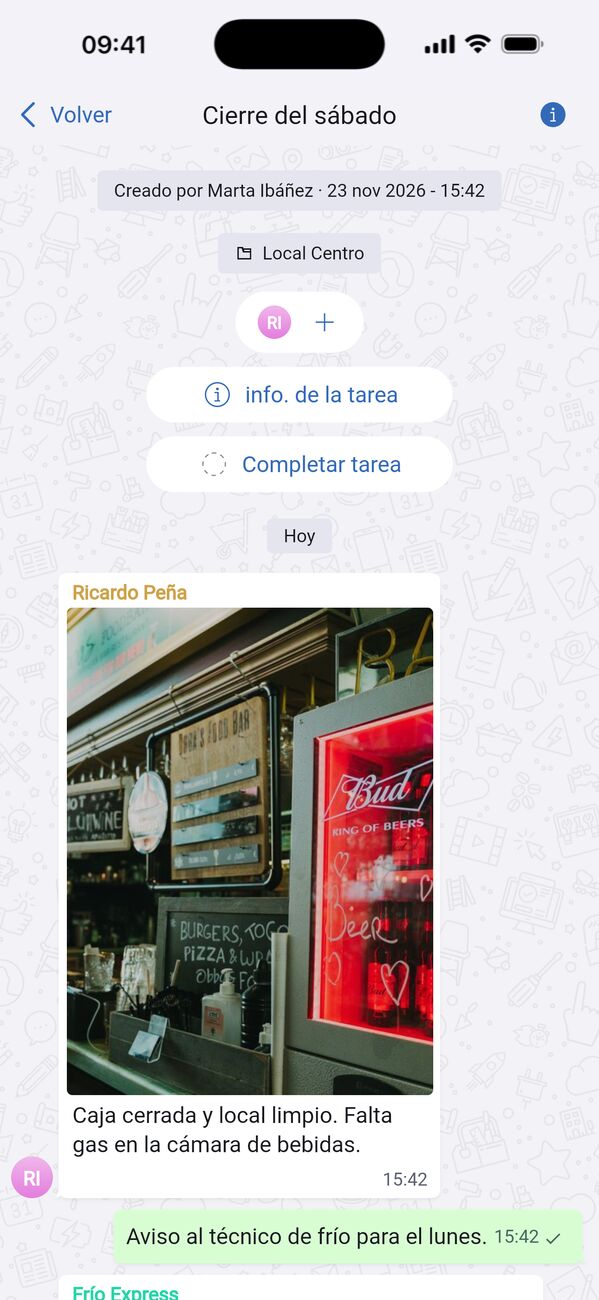
Each venue with its own folder: issues, closing up, shifts and suppliers. Managers report with a photo and the office sees it all from one place.
If this sounds familiar, you’re not the only one.
With one venue, the owner is there. With three, they need to know what’s going on without being there.
What you notice most
Shifts, absences and clock-ins for every venue.
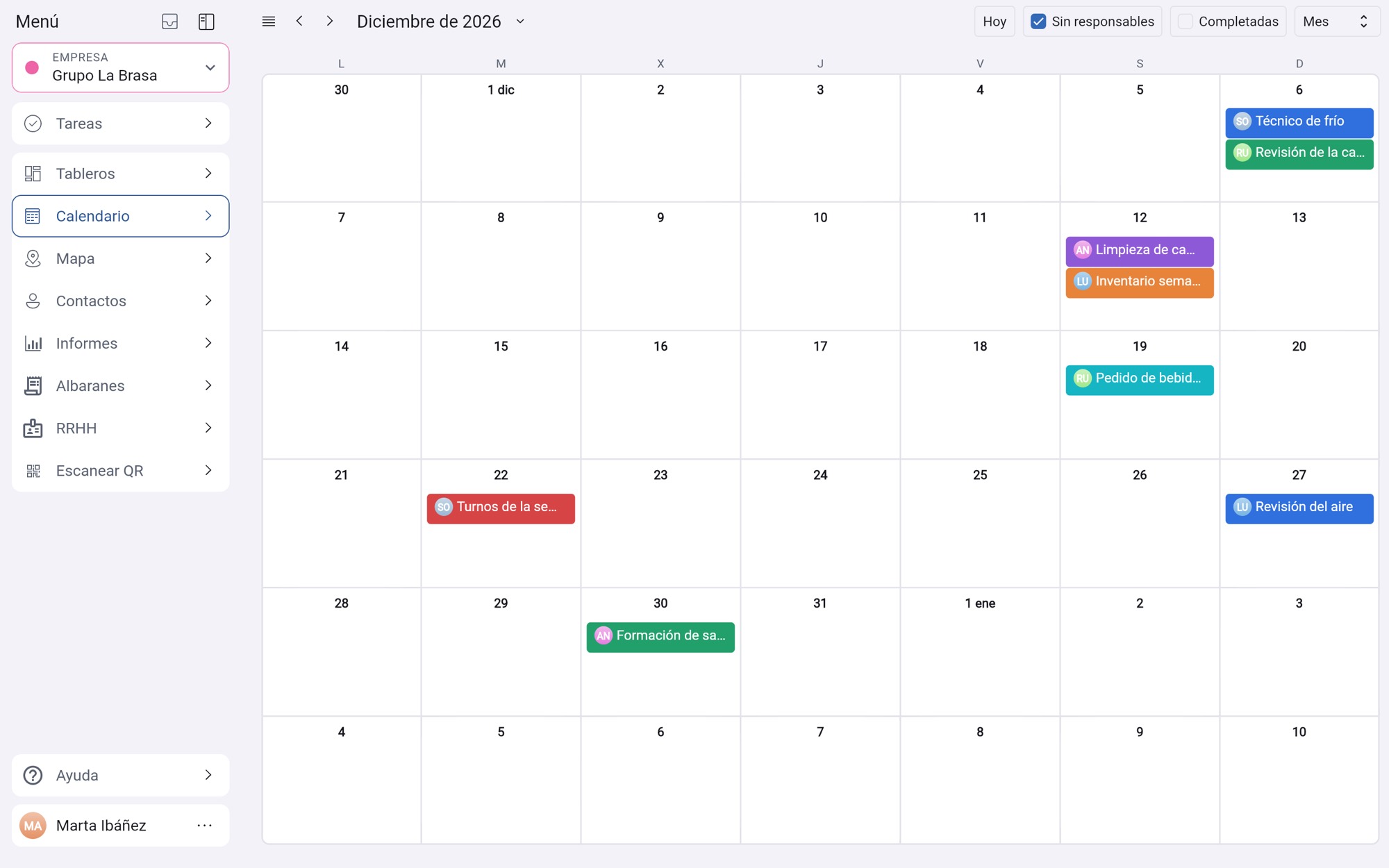
Staff clock in from their phone at their venue. Everyone’s absences show on the team calendar, by month or by week, and the office approves them from the box itself, with no paperwork.
- Clocking in at each venue
- Absences on the calendar
- Issues with a photo
How it helps
From cashing up to the refrigeration engineer, all in one place.
Issues with a photo
The fridge, the coffee machine, the air con. The manager reports it at once.
Technicians and suppliers
They confirm their visit in the venue’s chat.
Staff clock-ins
By phone, at each venue.
Absences and holidays
Everyone on the team calendar, by month or by week.
Rotas and documents
Rotas, certificates and each person’s documents, where they belong.
A board for each venue
Each venue with its folders. The office, with all of them.
- Manager · managerTill cashed up and place clean. The drinks fridge is low on gas.

- Office · officeI’ll book the refrigeration engineer for Monday.
- Cool Express · supplierWe’ll come on Monday at 9, before you open.
- Manager · managerHere’s next week’s rota. Rota week 49.pdf
Calendar and map
What’s on today and where.
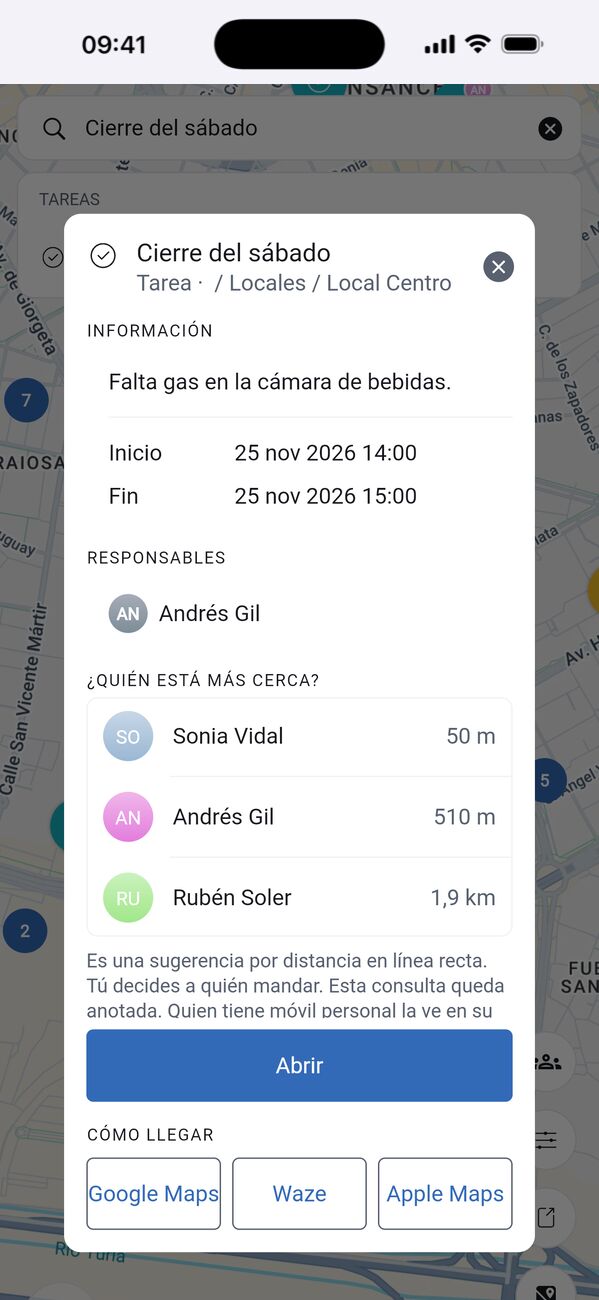
Visits from technicians and suppliers show up on the calendar, and the team’s absences in HR, by month or by week. And on the map you see where each venue is.
Do you use Odoo or another program?
It connects with what you already use.
With Odoo, staff, absences and time records sync on their own, both ways. If you don’t use Odoo, import your contacts from a file and you’re done. See connections
Questions about hospitality
Can staff clock in from their phones?
Yes. The office sees it in HR › Time records.
What if someone forgets to clock out?
If your company turns it on, the working day ends by itself and the office sees those days marked so they can be corrected.
Do my clients and suppliers pay?
No. They join free as guests through their inbox and only see what’s theirs.
What if we already use Odoo?
There’s a free module on the Odoo App Store that syncs everything, both ways.
Your company doesn’t fit in a WhatsApp group.
Start today with your team. Up to 4 people it’s free, with no time limit, and you don’t have to give any payment details.
Download it onApp StoreGoogle Play