For painting and decorating companies
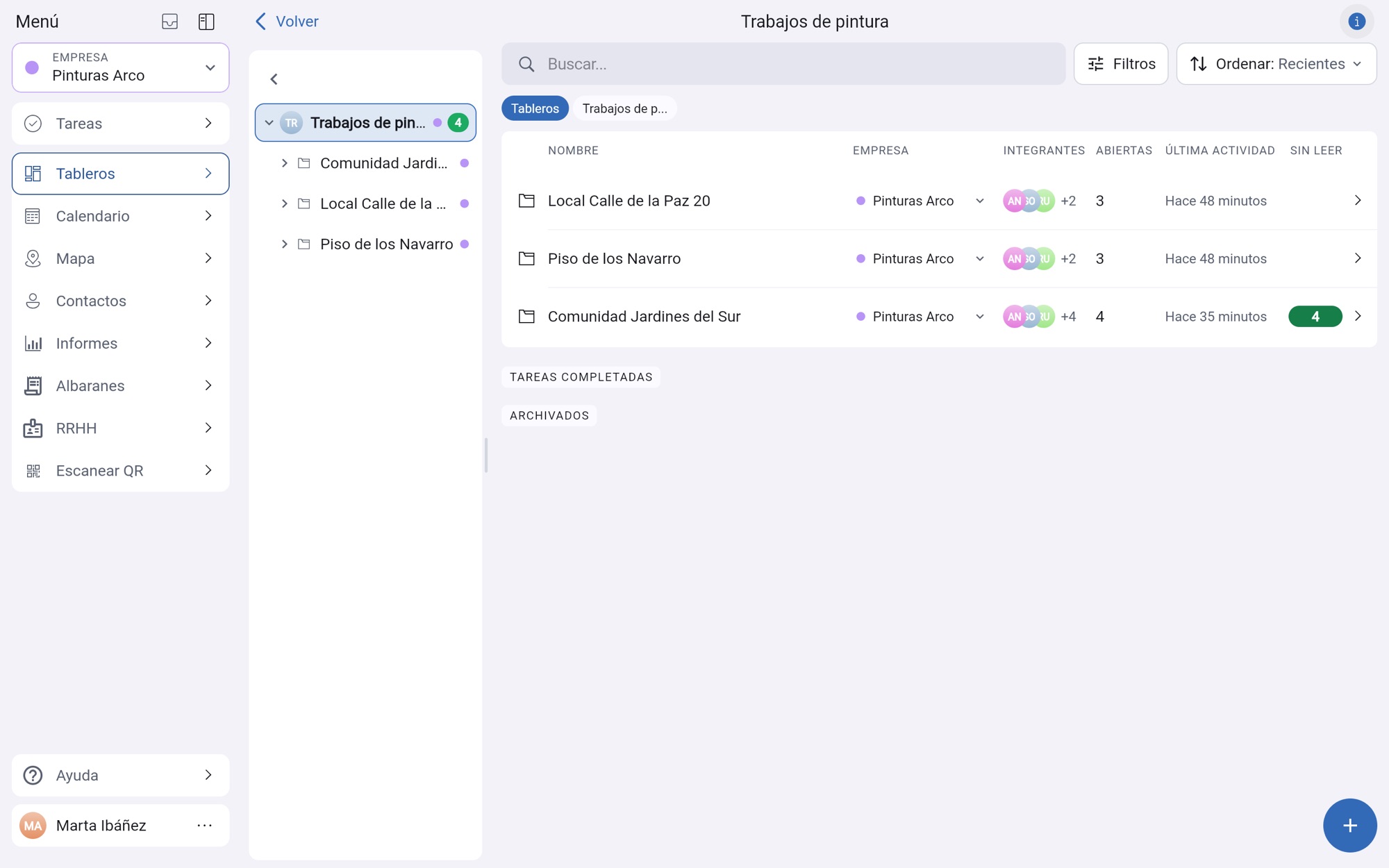
The chosen colour, progress with photos and a happy client.
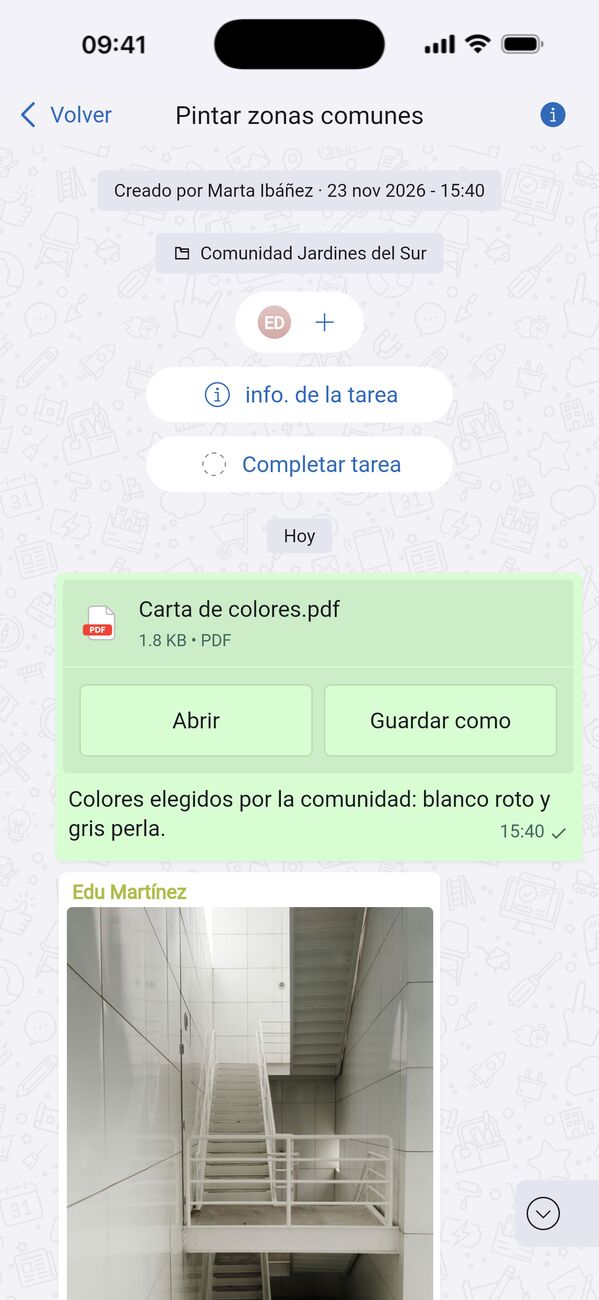
The colour chart, progress on each stairwell or each room with its photo, and the touch-ups the client asks for, all in one place.
If this sounds familiar, you’re not the only one.
Painting well is half the job. The other half is the client seeing what you’ve done.
What you notice most
The client sees progress without coming to look.
Every finished stage, with its photo in the client’s chat. The residents’ association chair or the owner sees it in their inbox, asks for a touch-up if needed and you invoice by stage with proof.
- Colour chart in the chat
- Photos by stage
- Touch-ups in writing
How it helps
From colour chart to final touch-up, in writing.
Chosen colours
The approved colour chart, in the chat. Nobody gets the shade wrong.
Progress by stage
Stairwell A, stairwell B: each stage with its photo.
The client, invited
They see progress and ask for touch-ups in their inbox.
Job calendar
Who’s painting where and on what day.
Signed delivery note
Materials, hours and signature on the phone.
Clocking in by phone
The team clocks in and out, no paper sheets.
- Office · officeColours chosen by the residents: off-white and pearl grey. Colour chart.pdf
- Eddie · painterStairwell A finished. Stairwell B tomorrow.
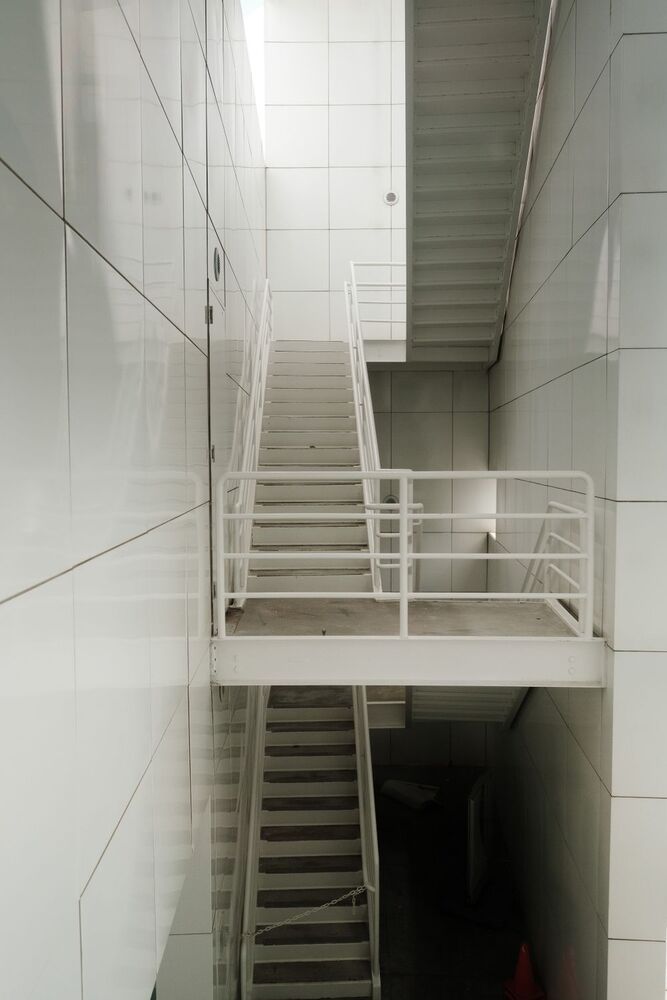
- Chair · residents’ associationIt looks great. Could you touch up the lift door?
- Eddie · painterDone.
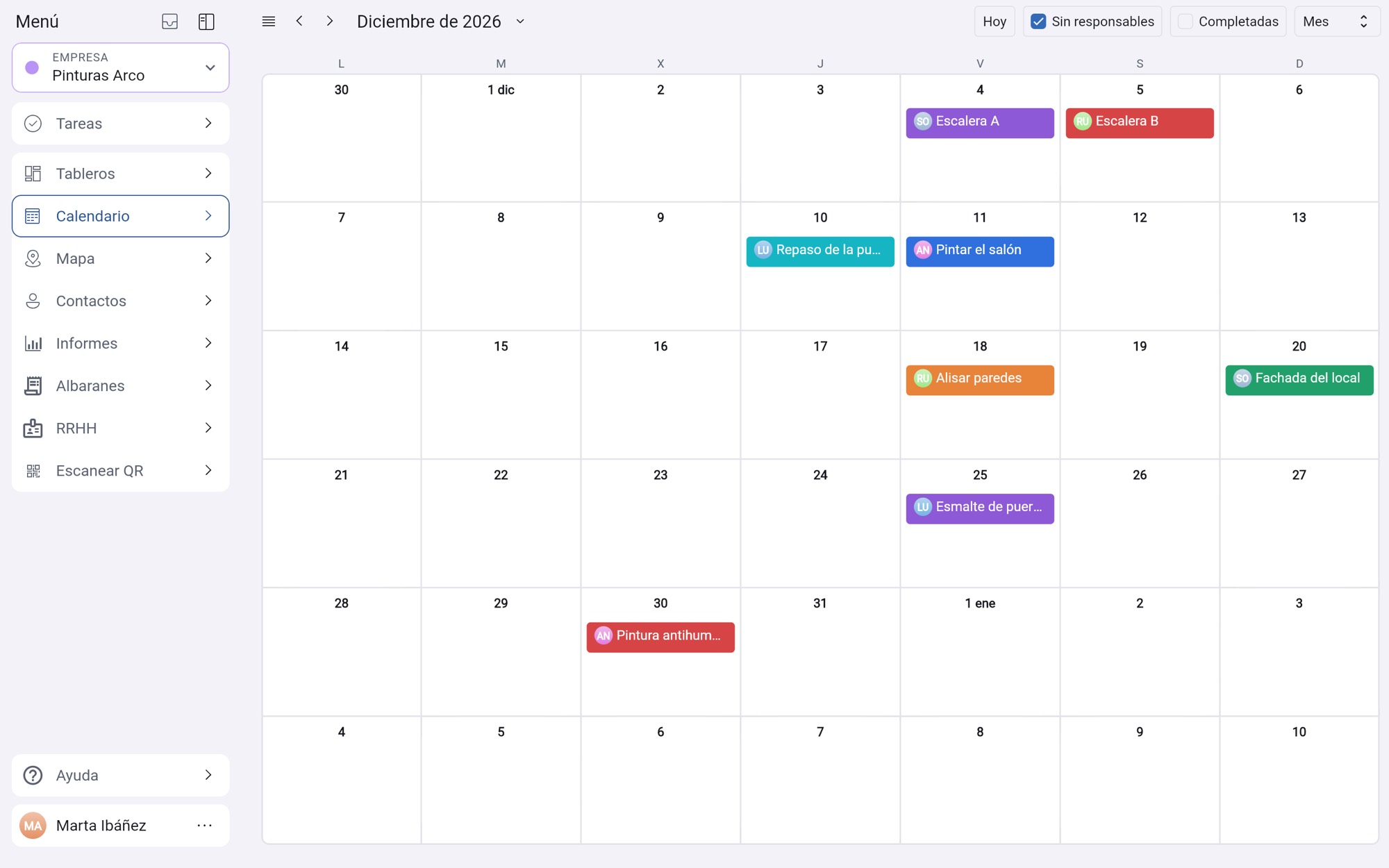
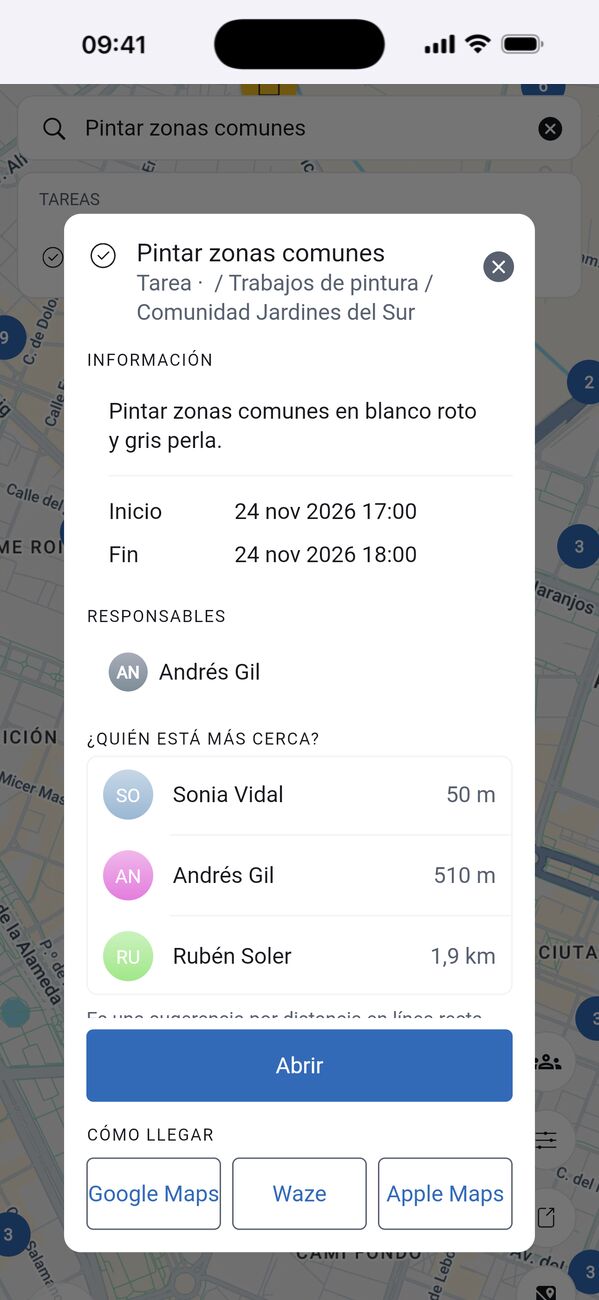
Calendar and map
What’s on today and where.
Jobs with a date show up on the team calendar, each in its painter’s colour. And on the map you see where each one is and how to get there with Google Maps, Waze or Apple Maps.
Do you use Odoo or another program?
It connects with what you already use.
With Odoo, the signed delivery note takes the materials out of your inventory and what’s been invoiced shows in both programs. If you don’t use Odoo, import your clients from a file and you’re done. See connections
Questions from painting companies
Can the client see the photos?
Yes, if you invite them to their inbox or their job. They only see what’s theirs.
Do my clients and suppliers pay?
No. They join free as guests through their inbox and only see what’s theirs.
Can I invoice by stage?
Each stage keeps its photo, its date and the signed delivery note. You do the invoice in your own program, or in Odoo if you use it.
What if we already use Odoo?
There’s a free module on the Odoo App Store that syncs everything, both ways.
Your company doesn’t fit in a WhatsApp group.
Start today with your team. Up to 4 people it’s free, with no time limit, and you don’t have to give any payment details.
Download it onApp StoreGoogle Play