Home › Sectors › Industrial cleaning
For industrial cleaning
Permits, photos and hours, ready to back up.
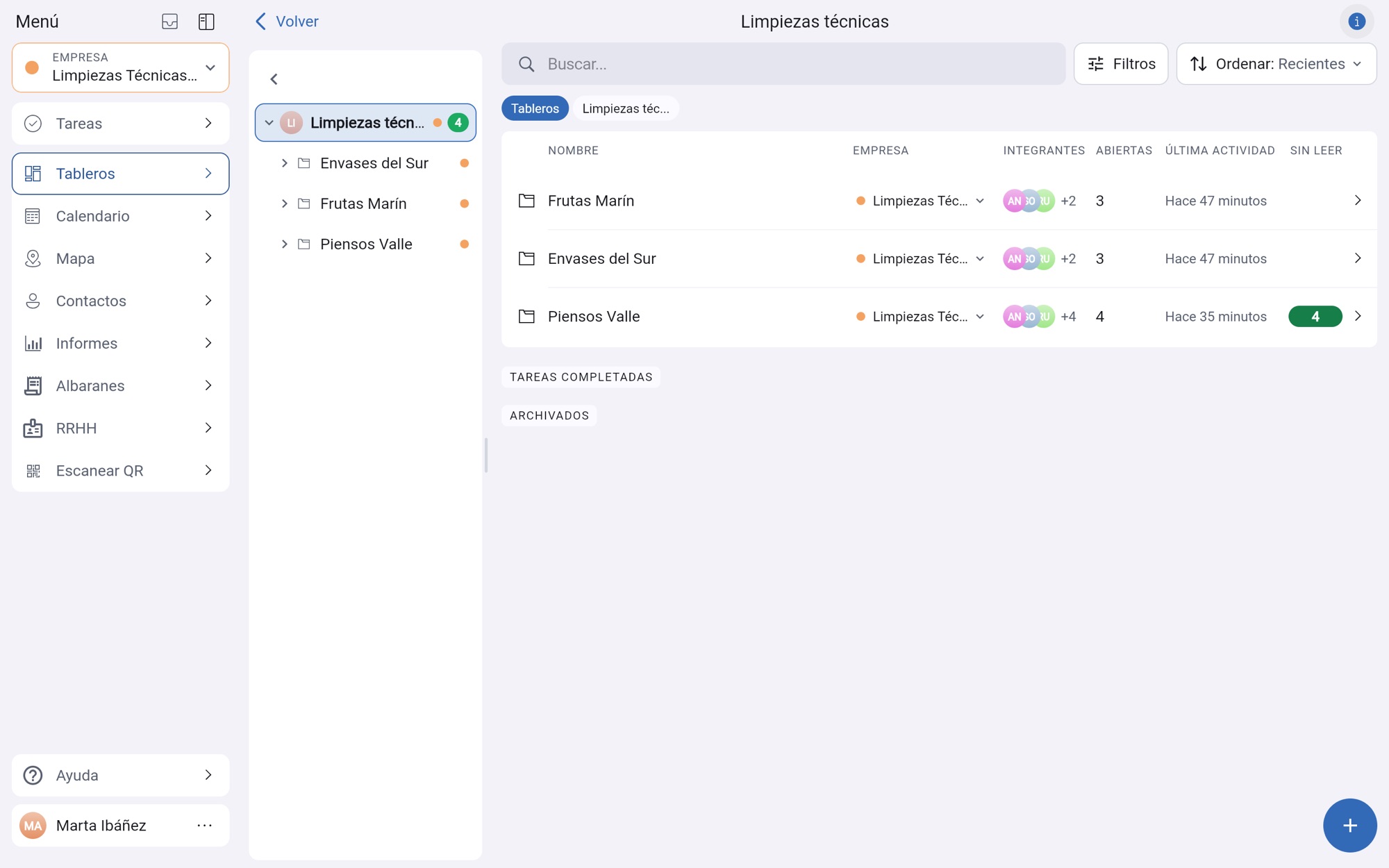
The work permit, the whole team’s clock-ins and the before and after photos, in the same job. The client signs it off in the chat.
If this sounds familiar, you’re not the only one.
In industrial cleaning, doing it well isn’t enough. You have to be able to prove it.
What you notice most
Before and after, with date and time.
Every photo stays in the job’s chat with its date and time, next to the permit and the team’s clock-ins. If the client asks, the answer is already there.
- The whole team’s clock-ins
- Work permit attached
- Client sign-off in writing
How it helps
From permit to sign-off, all together.
Work permits
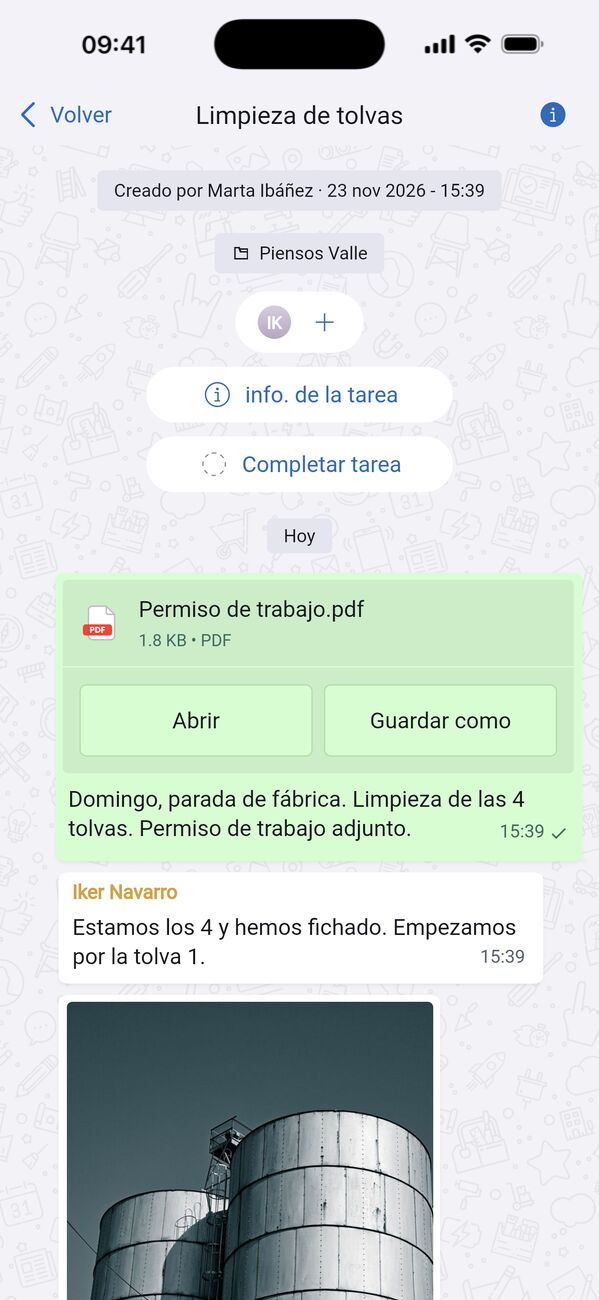
The permit as a PDF, in the job’s chat, for the whole team.
Team clock-ins
Everyone clocks in from their phone when they arrive and when they leave.
Before and after
Every stage with its photo, date and time.
Client sign-off
The client checks and gives the OK in the chat.
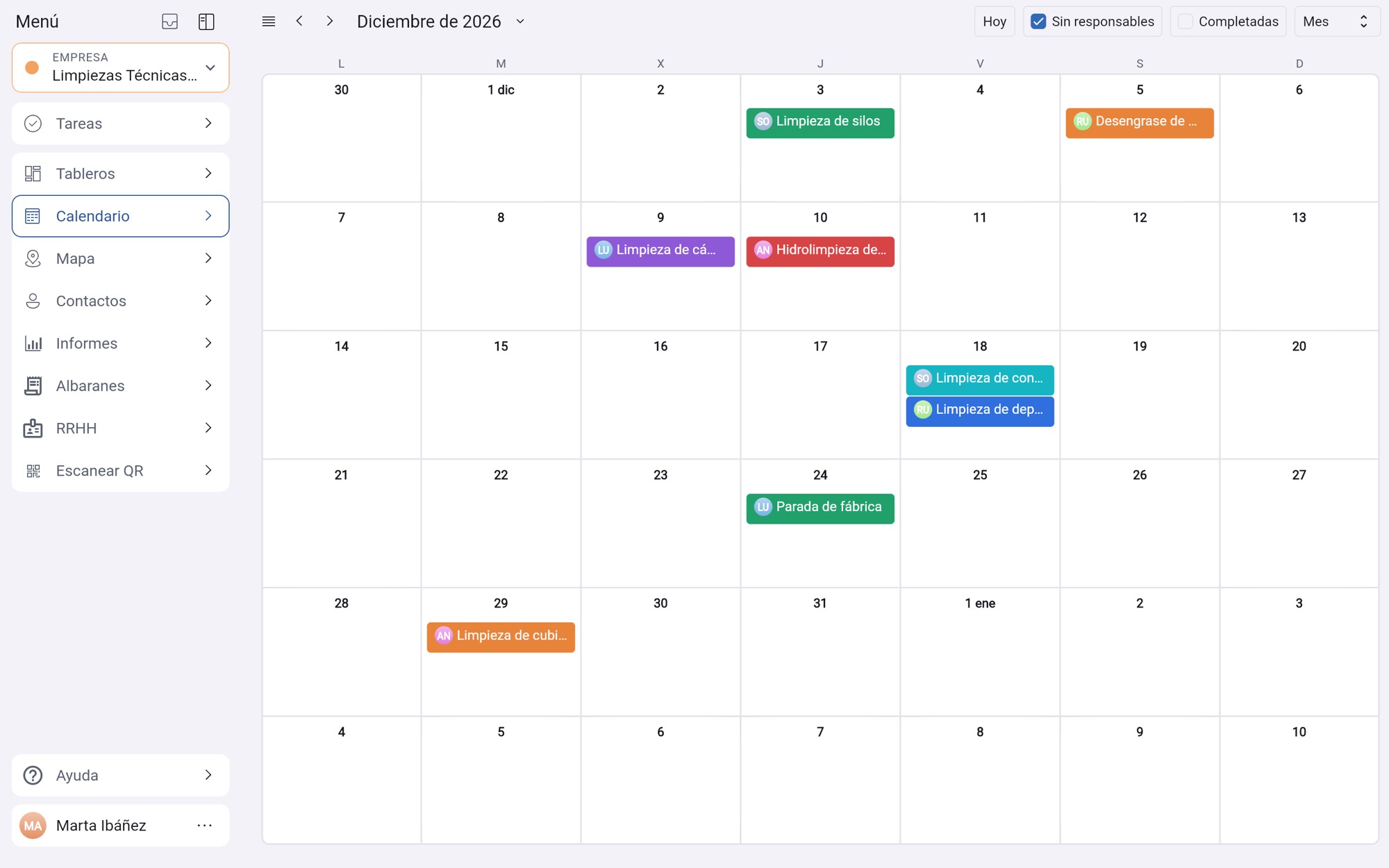
Planned shutdowns
Cleaning during plant shutdowns, on the calendar.
Staff documents
Each person’s training and certificates, in HR.
- Office · officeSunday, plant shutdown. Cleaning of the 4 hoppers. Work permit attached. Work permit.pdf
- Kyle · supervisorAll 4 of us are here and clocked in. Starting with hopper 1.
- Kyle · supervisorHoppers 1 and 2 done. Before and after.

- Valley Feeds · clientChecked. You can carry on with 3 and 4.
Calendar and map
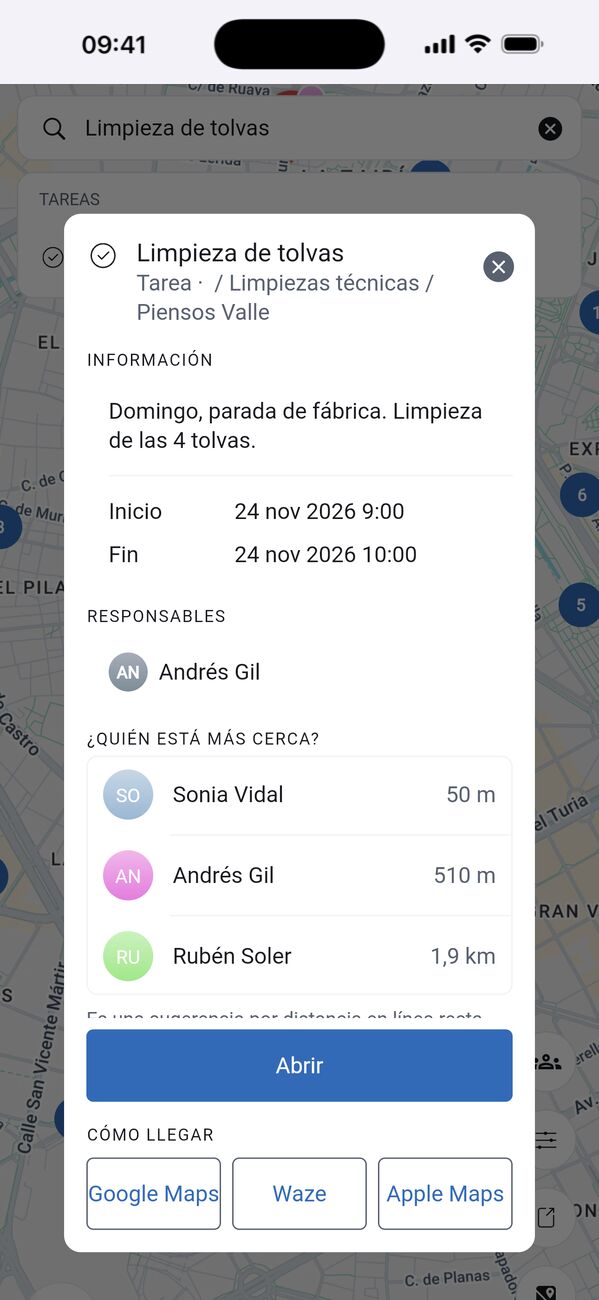
What’s on today and where.
Jobs with a date show up on the team calendar, each in its supervisor’s colour. And on the map you see where each one is and how to get there with Google Maps, Waze or Apple Maps.
Do you use Odoo or another program?
It connects with what you already use.
With Odoo, staff, absences and time records sync on their own, both ways. If you don’t use Odoo, import your contacts from a file and you’re done. See connections
Questions about industrial cleaning
Is the time of each photo kept?
Yes. Every message and every photo keeps its date and time.
Can I keep each worker’s training records?
Yes, in HR, in each person’s documents.
Does the client see what we say internally?
No. They only see the chat you invite them to.
What if we already use Odoo?
There’s a free module on the Odoo App Store that syncs everything, both ways.
Your company doesn’t fit in a WhatsApp group.
Start today with your team. Up to 4 people it’s free, with no time limit, and you don’t have to give any payment details.
Download it onApp StoreGoogle Play