Home › Sectors › Events and catering
For events and catering
Last-minute changes, and everyone with the latest version.
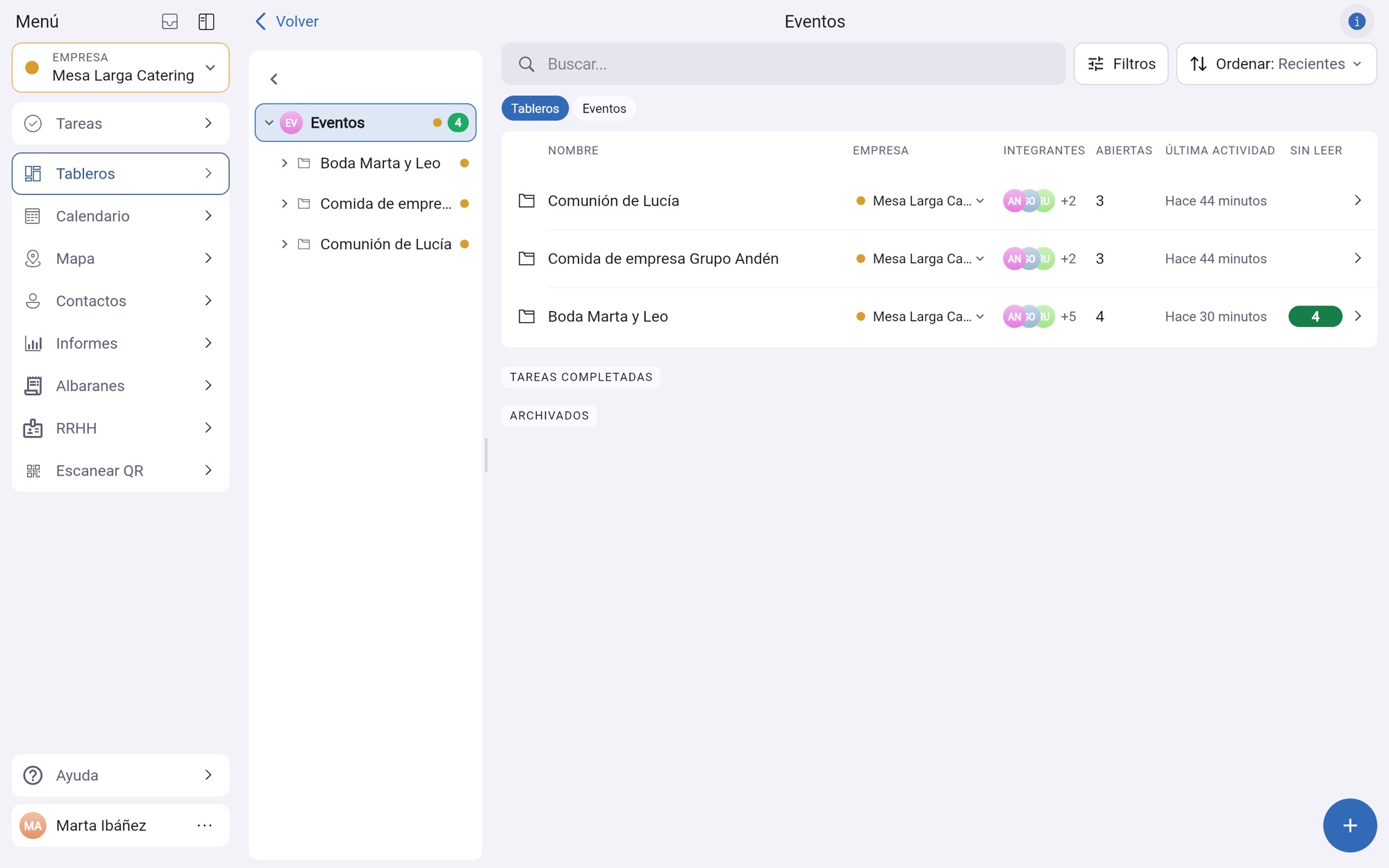
The couple change the guest count, the office updates the tables and the team sees it at once. Suppliers and set-up, in the same chat for the event.
If this sounds familiar, you’re not the only one.
At an event, everything changes until the very last day. What matters is that everyone hears about it at the same time.
What you notice most
One single version, for the whole team.
Every change goes into the event’s chat: tables, special menus, timings. Head of service, kitchen and waiting staff see the same thing, and nobody works from yesterday’s list.
- Client changes in writing
- Suppliers in the same chat
- Set-up photo for the client
How it helps
From the first meeting to set-up, in the same chat.
One chat per event
Client, office, front of house and kitchen. The client only sees their part.
Tables and menus
The table plan and the menus, always the latest version.
Suppliers as guests
Wine, flowers, music: they confirm in the chat.
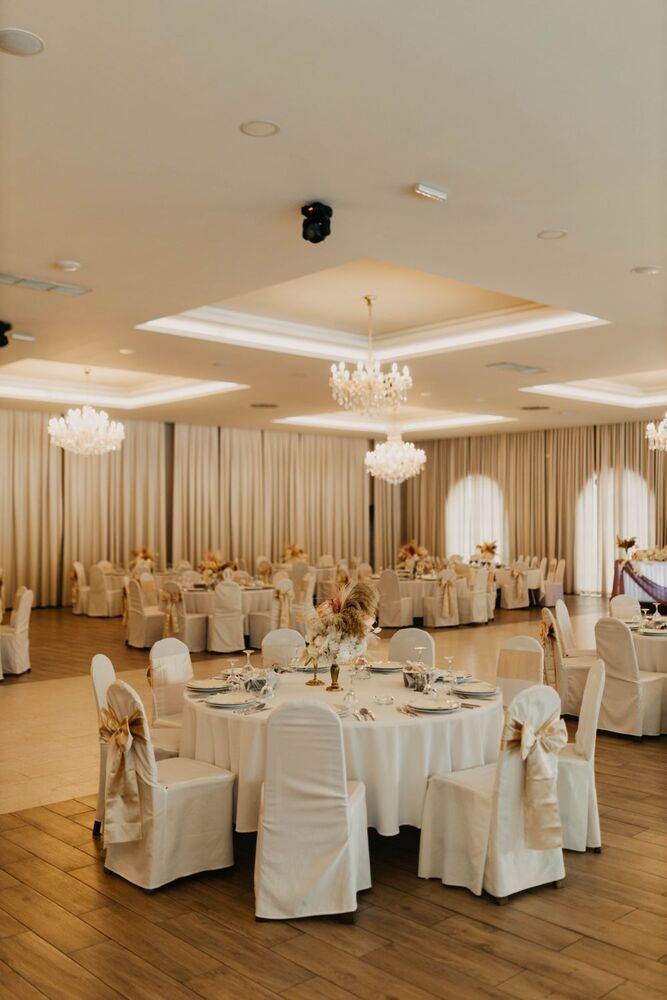
Set-up photo
How the room looks, for the client.
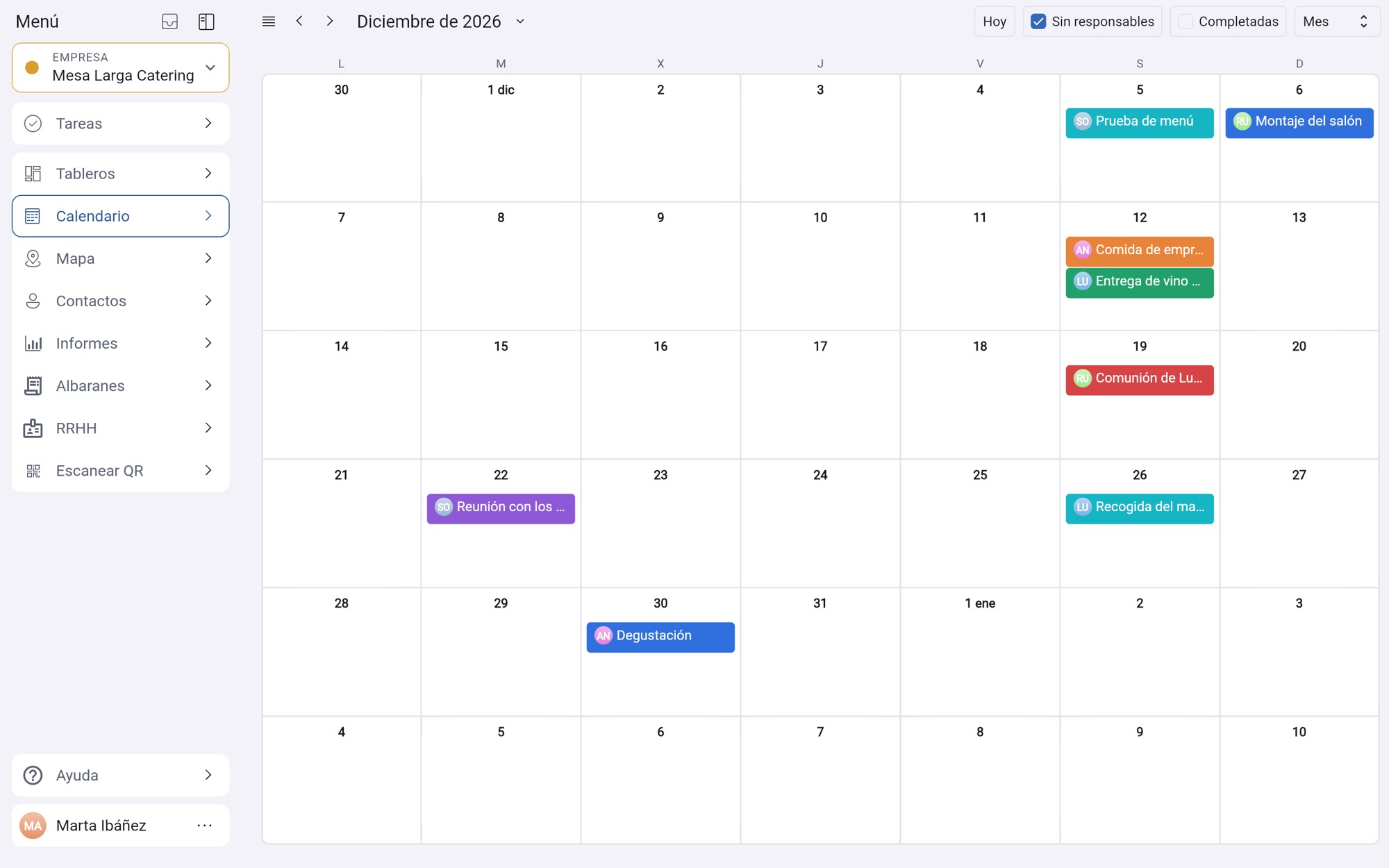
Events calendar
Every event with its team and its date.
Staff clock-ins
Extra and regular staff clock in from their phones.
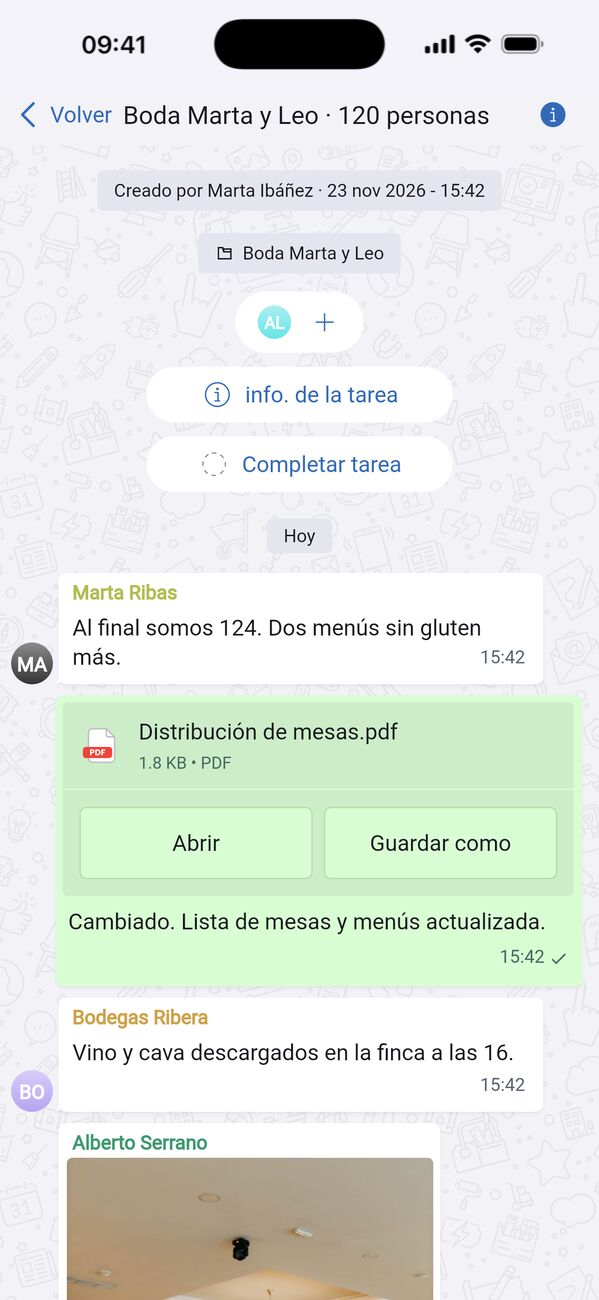
- Bride · clientActually, there’ll be 124 of us. Two more gluten-free menus.
- Office · officeChanged. Table plan and menus updated. Table plan.pdf
- Riverbank Wines · supplierWine and sparkling wine unloaded at the venue at 4 pm.
- Head of service · head of serviceSet-up finished. Here’s how the room looks.
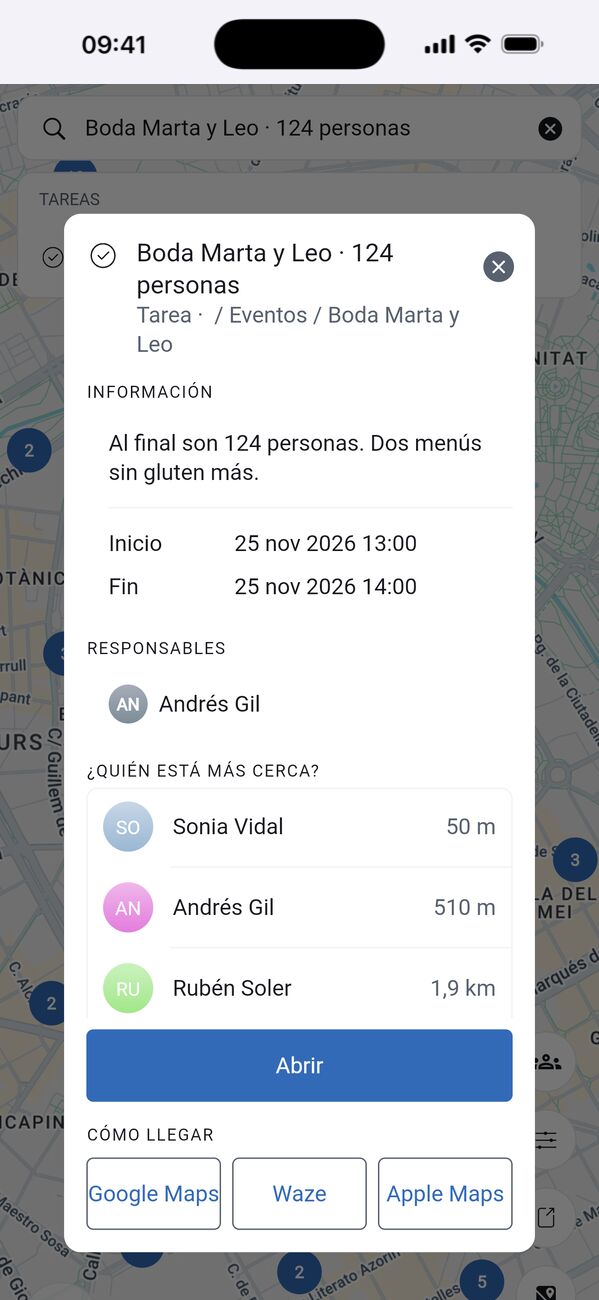
Calendar and map
What’s on today and where.
Events with a date show up on the team calendar, each in its head of service’s colour. And on the map you see where each one is and how to get there with Google Maps, Waze or Apple Maps.
Do you use Odoo or another program?
It connects with what you already use.
With Odoo, staff, absences and time records sync on their own, both ways. If you don’t use Odoo, import your contacts from a file and you’re done. See connections
Questions about events and catering
Does the client see what the team says?
No. They only see the chat you invite them to.
Do my clients and suppliers pay?
No. They join free as guests through their inbox and only see what’s theirs.
Can extra staff clock in?
Yes, from their phones, if they’re set up in HR › Staff.
What if we already use Odoo?
There’s a free module on the Odoo App Store that syncs everything, both ways.
Your company doesn’t fit in a WhatsApp group.
Start today with your team. Up to 4 people it’s free, with no time limit, and you don’t have to give any payment details.
Download it onApp StoreGoogle Play